Jupiter ERP

Documents

Invoices

Professional outgoing invoices with status and archive.

Invoices with lines, discounts, cash discount, and tax codes. Numbering, due date, and payment status stay linked to contact and banking. On bank-transfer invoices the PDF includes a GiroCode so customers can scan the payment in their banking app.

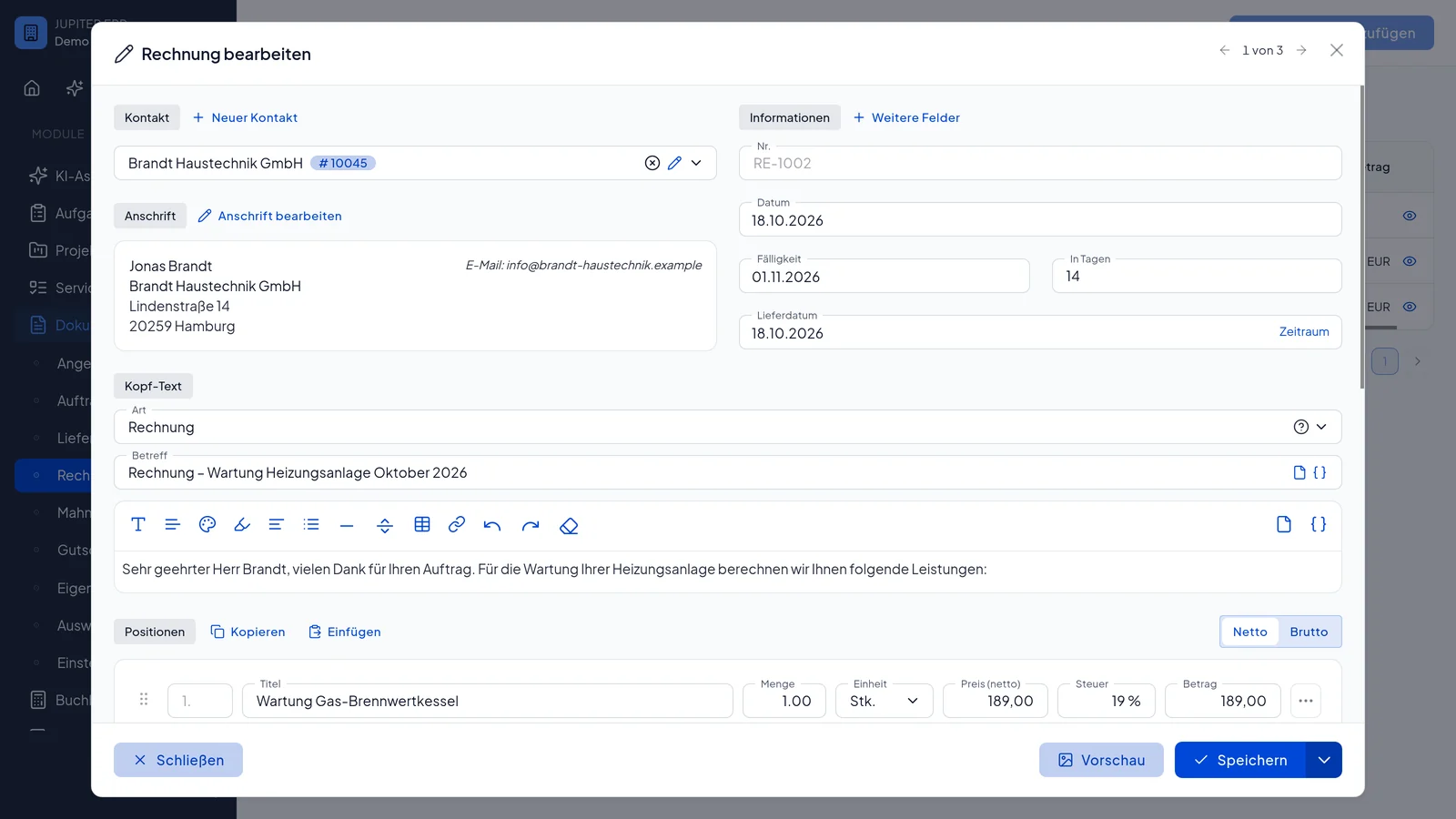
Rechnung bearbeiten im Jupiter ERP Panel — Positionen und Belegdetails

At a glance

These are the points this feature covers day to day.

  • Number ranges & due dates
  • PDF, ZUGFeRD, XRechnung, and GiroCode
  • Payment matching

In the product

The workflow in Jupiter ERP, on this page.

In depth

Background, typical workflows, and concrete panel capabilities, more detail than the summary above.

Professional outgoing invoices

Invoices are the core of the document flow: line items from the product catalog or as free text, headings and subtotals to structure the document, per-line and document-level discounts, cash discount days and rate, optionally prefilled from the contact. Number ranges and due dates stay consistent across the tenant.

Payment status (open, partially paid, paid) stays linked to banking. PDF preview, letterhead, and optional ZUGFeRD in the same workflow: email sending with activity log included. For public authorities you download XRechnung 3.0. On bank transfer or prepayment invoices the PDF includes a GiroCode (EPC QR) that customers scan in their banking app. Export open direct-debit invoices as a pain.008 file for your banking software.

Rechnung bearbeiten im Jupiter ERP Panel — Positionen und Belegdetails

Process instead of re-enter

From open invoices you create dunning or credit notes; delivery notes and quotes can be derived as follow-on documents. Line items and customer data carry over. You only adjust what changed.

What you do with an invoice

An outgoing invoice in Jupiter ERP is the document, the payment request, and the starting point for dunning, credit notes, and accounting. The same line-item and print tools apply to the other commercial documents.

  • Line items from the product catalog or as free text, with quantity, unit, and tax rate
  • Type partial invoice or final invoice when you bill quantities on an order
  • Headings and subtotals, per-line discount, document discount or surcharge, cash discount
  • Set number range, due date, and payment method (transfer, prepayment, direct debit)
  • PDF preview with letterhead, optional ZUGFeRD and a GiroCode for the banking app
  • Send by email or as a letter, or release the document for online signature
  • Export open direct-debit invoices as pain.008 for your banking software
  • Derive a dunning notice or credit note, and match the payment in reconciliation
  • Follow status from draft through sent to paid in the activity history
Rechnung bearbeiten im Jupiter ERP Panel — Positionen und Belegdetails

From the document to the tax office

Paid and open invoices feed reports, open items, and the accounting statements. For your tax adviser you pack them into the DATEV export and can lock the period.

Project, service order, cost center, and contact stay on the document. The invoice is part of the chain, not an isolated PDF in a mailbox.

How it works in the panel

The main building blocks at a glance, complemented by the longer description above.

Lines & product selection

Add items via search dialog with quantity or create free-text lines. Headings and subtotals structure the document. Price, tax, and unit come from the catalog.

Discounts & cash discount

Per-line discount (percent or amount), document-level discount or surcharge, cash discount days and rate, optionally prefilled from the contact.

Copy lines

Duplicate individual rows or copy all lines including discounts to the clipboard and paste into other documents.

Print & layout

Letterhead and layouts from print settings.

GiroCode in the PDF

On euro invoices with an IBAN and payment method bank transfer or prepayment, Jupiter ERP adds an EPC QR (GiroCode) to the PDF: banking apps prefill payee, amount, and remittance. On by default, can be turned off in print options.

Process document

Create dunning or credit notes from an invoice, or derive delivery notes and quotes: line items are preserved.

Status

Draft, sent, paid: traceable in the activity timeline.

Common questions

Jupiter ERP

Your first invoice in minutes

Start for free: write invoices on the Free plan. Choose plan, term, and add-ons in the app afterwards. Custom adaptations or API integration? Get in touch.

  • 14-day trial
  • No credit card
  • Hosted in Germany
  • GDPR-compliant
Create and send invoices · Jupiter ERP
