Jupiter ERP

Documents

Line items & discounts

Edit lines quickly: from catalog item to subtotal.

Every document type uses the same line editor: catalog products, free-text rows, headings and subtotals, per-line or document-level discounts, optional lines on quotes, plus copy, paste, and sort without retyping.

Rechnung bearbeiten im Jupiter ERP Panel — Positionen und Belegdetails

At a glance

These are the points this feature covers day to day.

  • Product selection & free text
  • Headings & subtotals
  • Per-line & document discount
  • Optional lines on quotes

In the product

The workflow in Jupiter ERP, on this page.

In depth

Background, typical workflows, and concrete panel capabilities, more detail than the summary above.

The document form in daily use

Every document type uses the same line logic: quantities, units, taxes, free text, and catalog items. Set discounts per line (percent or amount) or as document-level discount and surcharge.

On quotes you mark lines as optional: visible on the PDF but not in the total. That helps with variants and add-on offers without confusing totals.
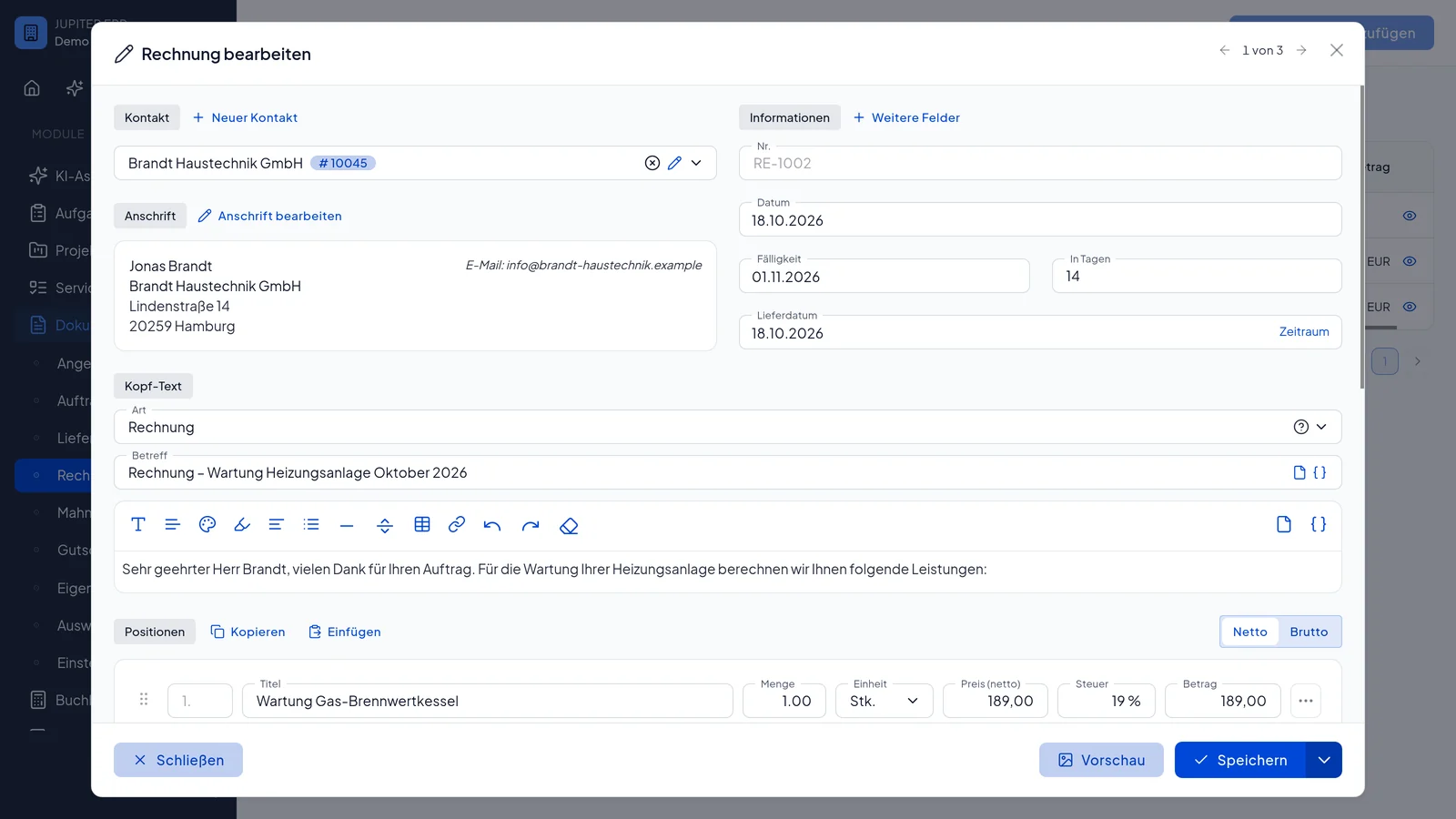

Rechnung bearbeiten im Jupiter ERP Panel — Positionen und Belegdetails

Headings and subtotals

Long quotes and invoices stay readable when material, labor, and extras have their own blocks. A heading is bold with no amount. A subtotal draws a line and shows the net of billable items since the previous heading or subtotal.

Optional lines keep their number but do not count toward the total or the subtotal. Editor, preview, and print PDF use the same order. The ZUGFeRD e-invoice includes only regular lines. Headings and subtotals belong on the visible PDF.

Convenience without an Excel detour

Copy line items to the clipboard and paste into other documents (replace, above, or below). Duplicate a row, insert an empty line or a product directly above the selected row, sort via drag and drop. Maintain recurring service packages once and transfer them quickly.

Product SKU stays on the line: price changes to the item apply to new documents; historical documents remain archived unchanged.

Rechnung bearbeiten im Jupiter ERP Panel — Positionen und Belegdetails

What you do in the line-item form

Every document type uses the same line tools. You build the document without preparing it in a spreadsheet first.

  • Take products from search or add free-text lines
  • Set quantity, unit, and tax rate per line
  • Discount as a percent or an amount per line
  • Document-level discount or surcharge, percent or fixed
  • Mark lines as optional on quotes
  • Headings and subtotals for blocks such as material and labour
  • Duplicate lines, sort by drag and drop or arrow keys
  • Copy all lines including discounts and paste them into another document

What lands in the total and the e-invoice

Optional lines, headings, and subtotals do not count toward the grand total. A subtotal shows the net since the last heading or subtotal.

The ZUGFeRD file contains the billable lines. Headings and subtotals stay on the visible PDF, in the same order as the preview.

How it works in the panel

The main building blocks at a glance, complemented by the longer description above.

Product selection

Add items via search dialog with quantities: name, price, tax, and unit come from the product master.

Per-line discount

Discount each line as a percent or fixed amount: the line net total is calculated automatically.

Document discount & surcharge

Additional discount or surcharge rows at document level: as a percent of line net or a fixed amount.

Optional lines

Mark lines as optional on quotes: visible to the customer but excluded from the total.

Headings & subtotals

Mark a line as a heading or a subtotal. Headings group the document, subtotals show the net since the previous heading or subtotal. Neither adds to the document total. Preview and PDF keep the same order and line numbers.

Copy & paste

Copy all lines including discounts to the clipboard and paste into another document: replace, insert above, or below.

Duplicate & reorder

Duplicate a row, insert an empty line or a product directly above, drag and drop or move with arrow controls, including document adjustments.

Units & taxes

Quantity, UN/CEFACT unit (piece, hour, lump sum …), and tax rate per line: consistent through to the PDF.

Common questions

Jupiter ERP

Your first invoice in minutes

Start for free: write invoices on the Free plan. Choose plan, term, and add-ons in the app afterwards. Custom adaptations or API integration? Get in touch.

  • 14-day trial
  • No credit card
  • Hosted in Germany
  • GDPR-compliant
Line items & discounts · Jupiter ERP
