Jupiter ERP
AI in Basic

Your ERP — with AI that knows your business from receipt to reporting.

Jupiter AI assistant helps on every page, the chat knows your company data, and receipts are captured by scan instead of typing. One platform — modular, tenant-isolated, included from Basic.

  • AI included from Basic
  • E-invoice from XML automatically
  • Assistant on every page
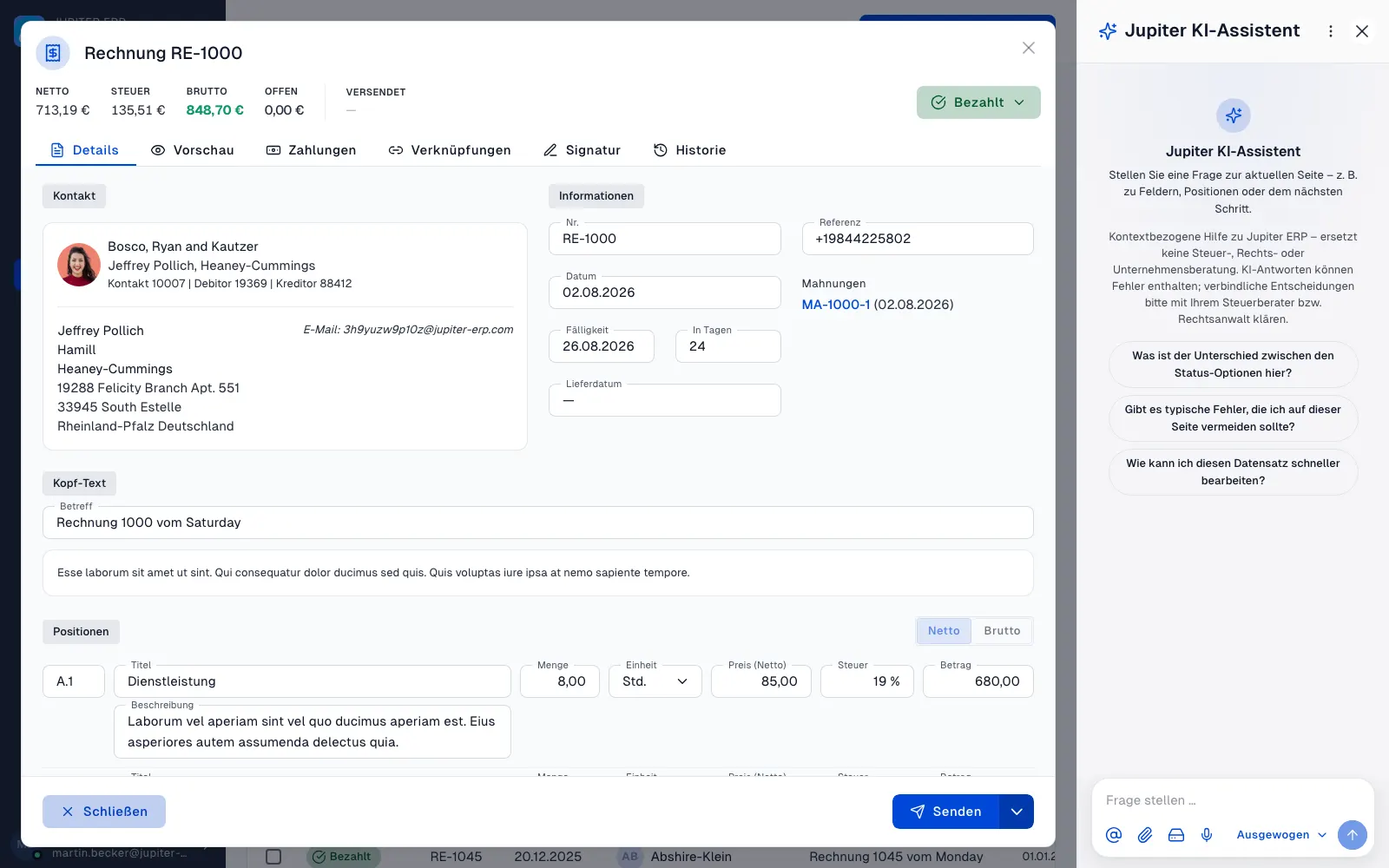
Jupiter KI-Assistent — Sidebar neben einer geöffneten Rechnung im Jupiter Panel
Jupiter Panel

Artificial intelligence

One AI module, three powerful surfaces

No separate ChatGPT tab, no expensive add-on per feature. Sidebar assistant, AI chat, and receipt recognition run on the same AI module — included from Basic.

From Basic

AI module in your plan

E-invoice

Automatic from XML

Every page

Jupiter AI assistant

Jupiter AI assistant

Context, not another chat tab

In the sidebar, the assistant knows the page you are working on. In AI chat, it answers questions about revenue, open items, and customers — based on your real company data.

Jupiter KI-Assistent — Sidebar neben einer geöffneten Rechnung im Jupiter Panel
Jupiter Panel

Jupiter AI assistant

„Which invoices are overdue?"
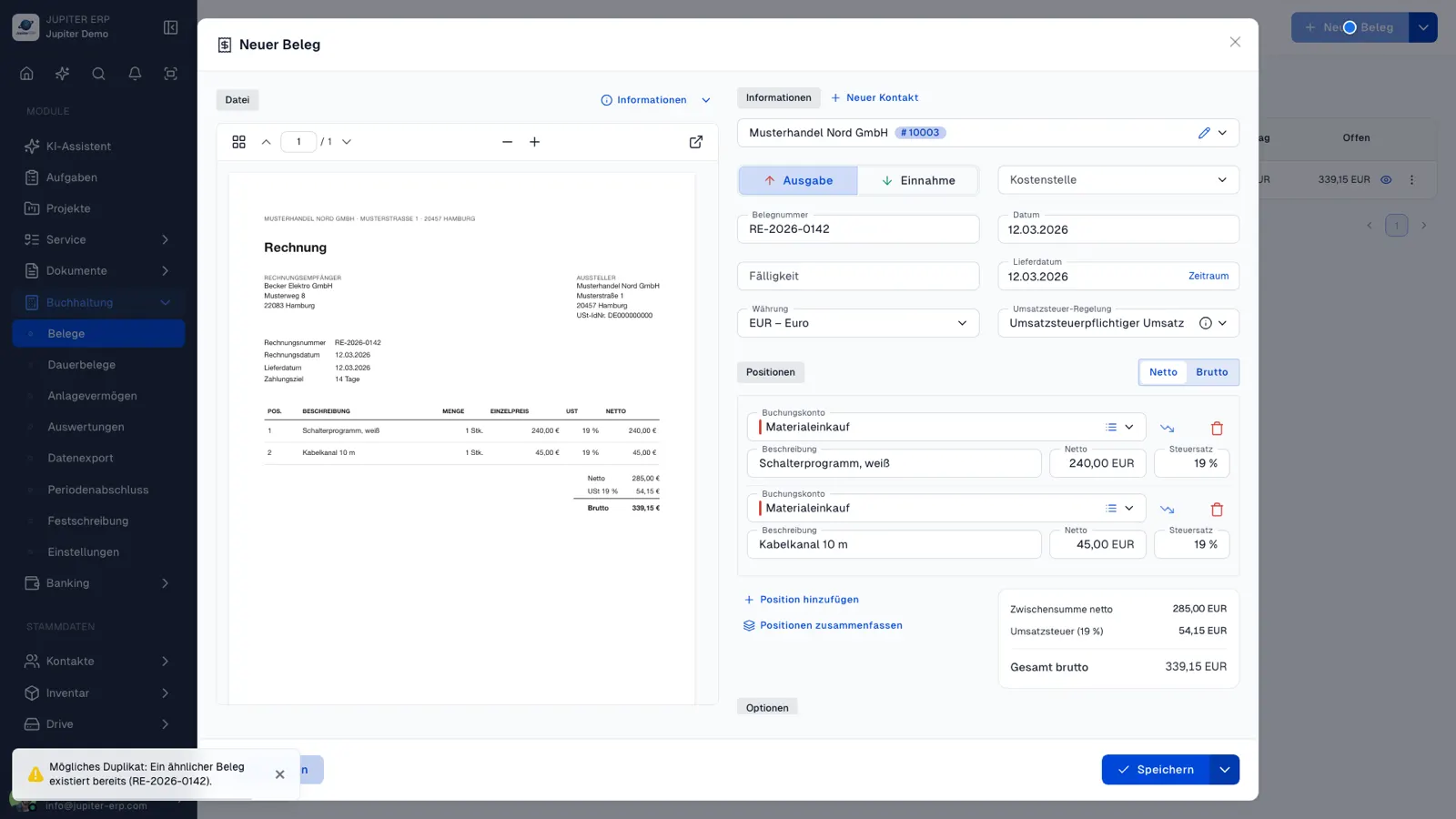
AI receipt recognition

Upload scan, review suggestions

Jupiter reads structured e-invoices automatically from XML. For scans, AI suggests contact, account, and line items — you stay in control.

  • Contact, booking account, and line items as suggestions
  • ZUGFeRD/XRechnung without manual typing
  • Review and confirm — never blind acceptance
KI-Beleg-Erkennung beim Erfassen eines Kostenbelegs im Jupiter Panel
Jupiter Panel

Plan details and AI scope on the pricing page.

Modules

Everything your business needs — modular and connected

Enable only the areas you need today. Every module shares the same master data.

AI assistant & AI module

The AI assistant is a chat like ChatGPT — except it knows your real company data. It answers questions about revenue, open invoices, customers, receipts, and files in your account, and explains how Jupiter works. Because answers are grounded in your actual numbers and documents, they are concrete and reliable instead of generic. The Jupiter AI assistant sidebar and automatic receipt recognition are bundled in the same AI module.

  • AI chat that knows your real company data
  • Jupiter AI assistant: contextual help right on every page
  • Concrete answers instead of generic AI output
  • Advisor roles: tax, business, legal, support
  • @mentions, file attachments & metrics in context
  • Receipt recognition & e-invoice from XML
  • Private, read-only & tenant-safe
Learn more

Features

  • AI assistant chat

    A chat right in the panel, as familiar as ChatGPT: ask in plain language, watch answers stream in live, revisit earlier conversations. “What was my revenue last quarter?”, “Which invoices are overdue?”, “Summarize the history of Meier GmbH” — the assistant answers based on your account.

  • Answers from your real data

    The decisive difference from generic AI tools: the assistant accesses your contacts, receipts, invoices, metrics, and files in a controlled, read-only way. Ask ChatGPT in general and it cannot know your business — here the numbers come from your system. Results are backed by clickable sources so you can verify every statement.

  • Advisor roles (personas)

    When starting a chat you pick a role — e.g. tax, business, or legal advisory, a general assistant, or “Jupiter ERP Support” as a manual replacement. Each role phrases answers to fit your question; all use the same secure access to your data.

  • @mentions, files & metrics

    Reference contacts, document numbers, or files via @mention, or attach a document from your Drive. The assistant reads the content when needed, evaluates metrics, and factors in open items and top customers — in the context of your business.

View all modules in detail

Workflow

From quote to invoice — in one flow

Documents, contacts, and payments stay connected. No exports to side systems, no duplicate data entry.

  • Quotes, orders, delivery notes, and invoices in one flow
  • Match bank transactions to open items
  • Service reports linked to customers and billing
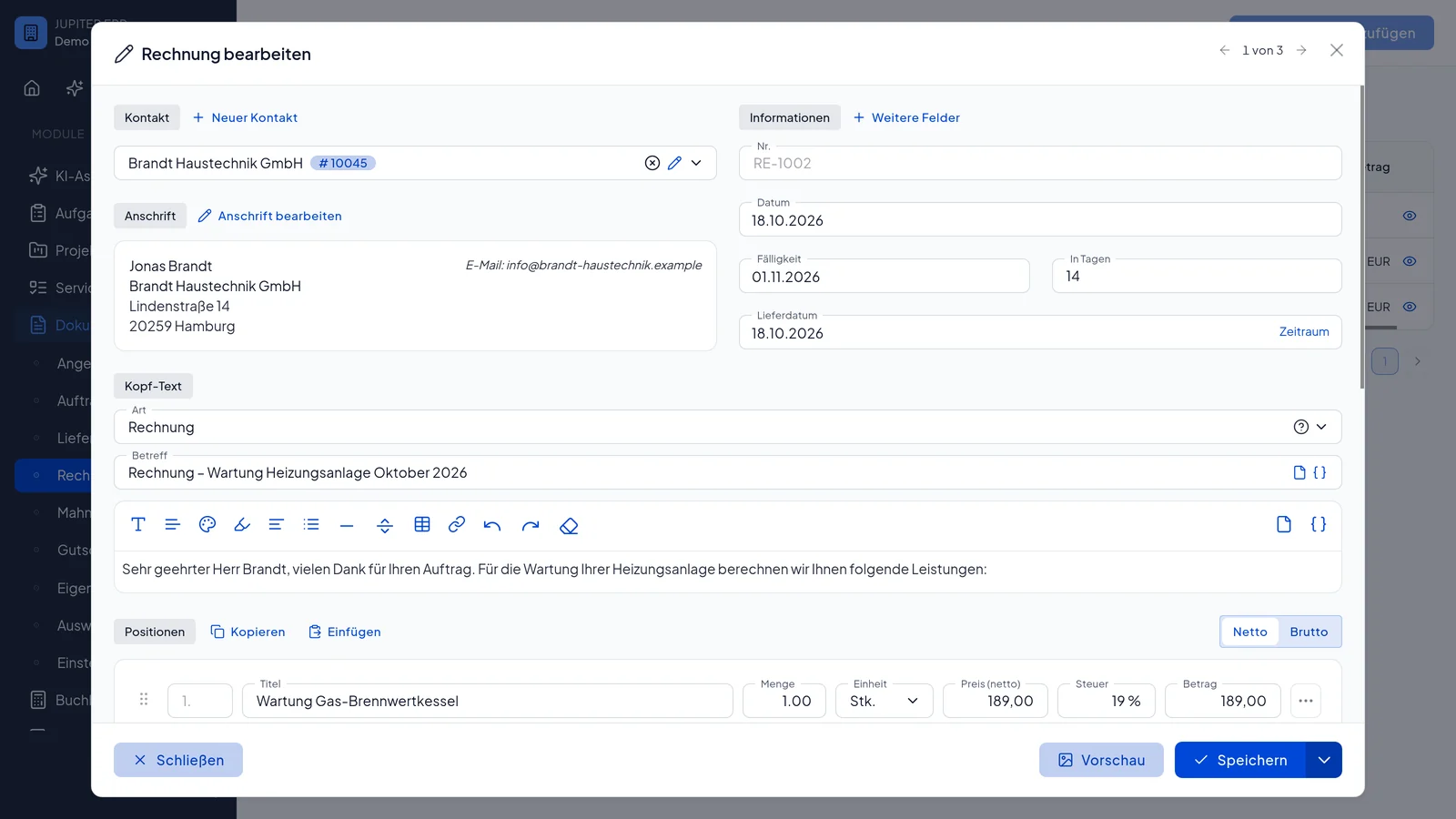
Rechnung bearbeiten im Jupiter Panel — Positionen und Belegdetails
Jupiter Panel

Benefits

Built for day-to-day operations in mid-sized businesses

Less duplicate entry, clear responsibilities — and room for your specific workflows.

End-to-end documents

Invoices, credit notes, and PDFs with traceable history and secure storage per tenant.

Banking in context

Match payments and manage finances on one foundation.

Service without silos

Orders and customer history on the same master data.

Isolated tenants

Each customer account has its own segregated data space.

Search & analytics

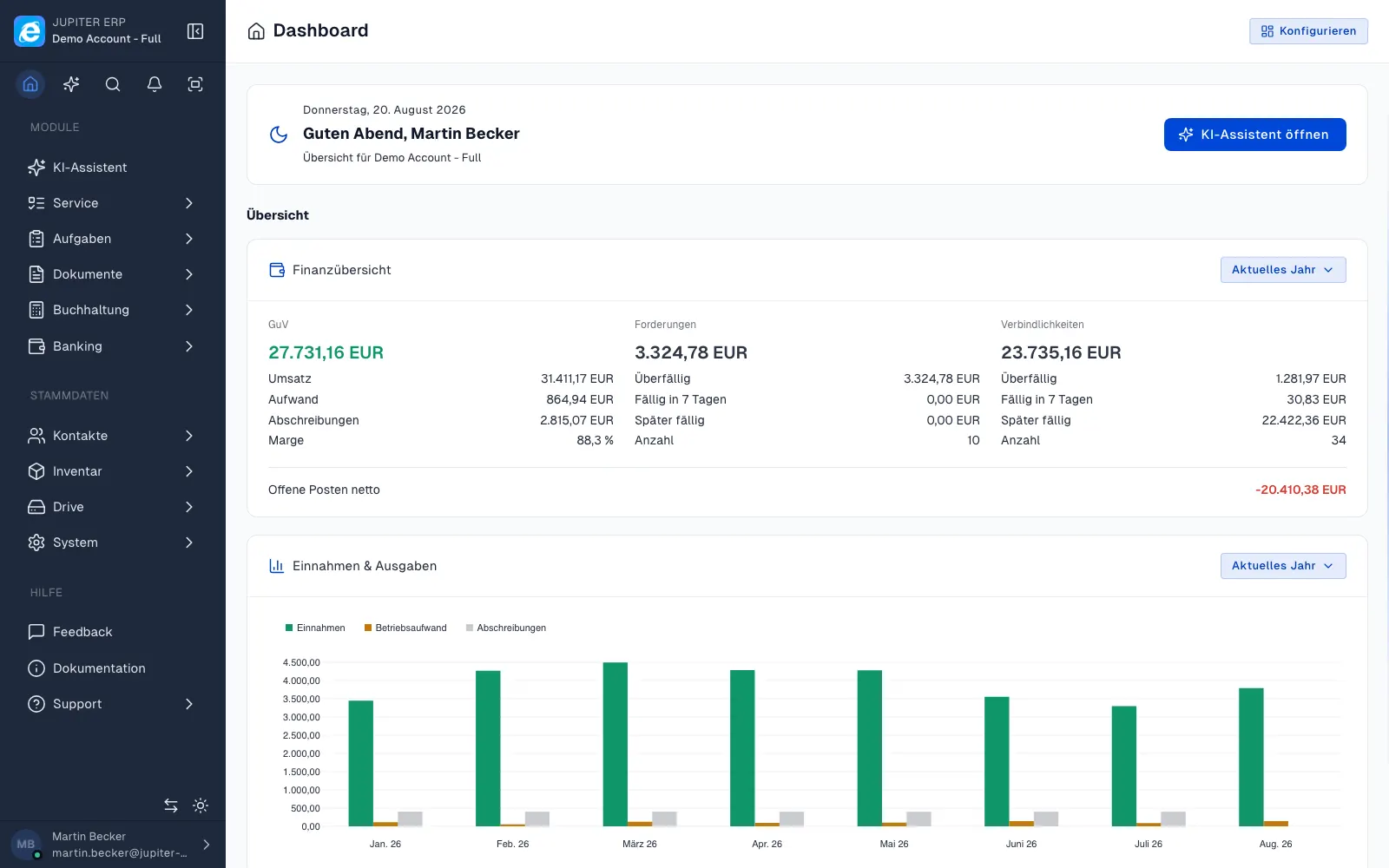
Account-wide search across all modules and dashboards for revenue, open items, and cash flow.

Modular extensions

Add modules as needed — including integrations and custom development.

Partner program

Refer Jupiter ERP — and earn commission

Share your personal link. For every regular subscription payment of a referred account, you earn 20% commission on net revenue for 6 months. Payouts from €50.00 pending balance.

  • Personal referral code and ready-made links for website, sign-up, and pricing
  • 20% commission on the referred account's net revenue — for 6 months
  • Transparent stats and SEPA payout from €50.00

Terms and participation in the affiliate program — optional join in your user profile.

Why Jupiter

One system instead of many tools

Many teams switch between accounting, CRM, service, and file storage. Jupiter bundles core processes in one place.

One data foundation

Contacts, products, and documents live in one system. No duplicate entry, no conflicting data across tools.

Connected processes

From service report to invoice, from bank transaction to open item — everything linked and traceable.

Modular growth

Start with documents and banking. Enable service, inventory, or portal later — without migration.

Fast day-to-day use

Clear lists, quick search, and an interface built for daily work.

Getting started

From onboarding to stable operations

Jupiter ERP is strict where it matters (security, accounting integrity) and flexible where your business differs (workflows, integrations, branding).

  1. 1

    Set up tenant

    Create an isolated account, configure tax profiles, and invite users with role-based access.

  2. 2

    Import and reconcile data

    Bring in contacts, products, and opening balances. Master data can be validated during import.

  3. 3

    Work daily

    Create documents, sync banking, and handle service cases — all on the same master data.

  4. 4

    Report with confidence

    Exports and reports read from the same source your auditors already know.

Plans

Trial, free, and three growth tiers

Start with no obligation — prices, billing periods, and the detailed feature comparison are on the pricing page.

Try first

Trial

14 days · €0 · no credit card

Full functionality to try without obligation — no credit card and no automatic subscription.

Trial details
Then free

Free tier

€0 / month · use permanently

Permanently free after the trial — ideal for getting started and very small volumes.

Free tier details

Paid plans

From prices, add-ons, and feature comparison — transparent on the Pricing.

Frequently asked questions

More answers on the FAQ page.

Jupiter ERP

Ready for Jupiter ERP?

Start for free — choose plan, term, and add-ons in the app afterwards. Custom adaptations or API integration? Get in touch.

Jupiter ERP — Business software with AI for growing teams · Jupiter ERP