Jupiter ERP

Documents

Process documents

Follow-on documents from the source, without double entry.

The document flow does not stop at the PDF: from any document you derive the next step. Contact, lines, discounts, text, and references carry over. You only adjust number, date, and the new status.

Rechnung bearbeiten im Jupiter ERP Panel — Positionen und Belegdetails

At a glance

These are the points this feature covers day to day.

  • Quote → order → delivery note → invoice
  • Dunning & credit note from invoice
  • Lines preserved

In the product

The workflow in Jupiter ERP, on this page.

In depth

Background, typical workflows, and concrete panel capabilities, more detail than the summary above.

Follow-on documents without double entry

Process document is the core of Jupiter ERP’s document flow: from quote to order confirmation, delivery note, or invoice; from delivery note to invoice; from invoice to dunning or credit note. Contact, line items, discounts, text, and references carry over.

New number, date, and status start fresh. You only change what actually changed. That saves time and reduces drift between quote and invoice.
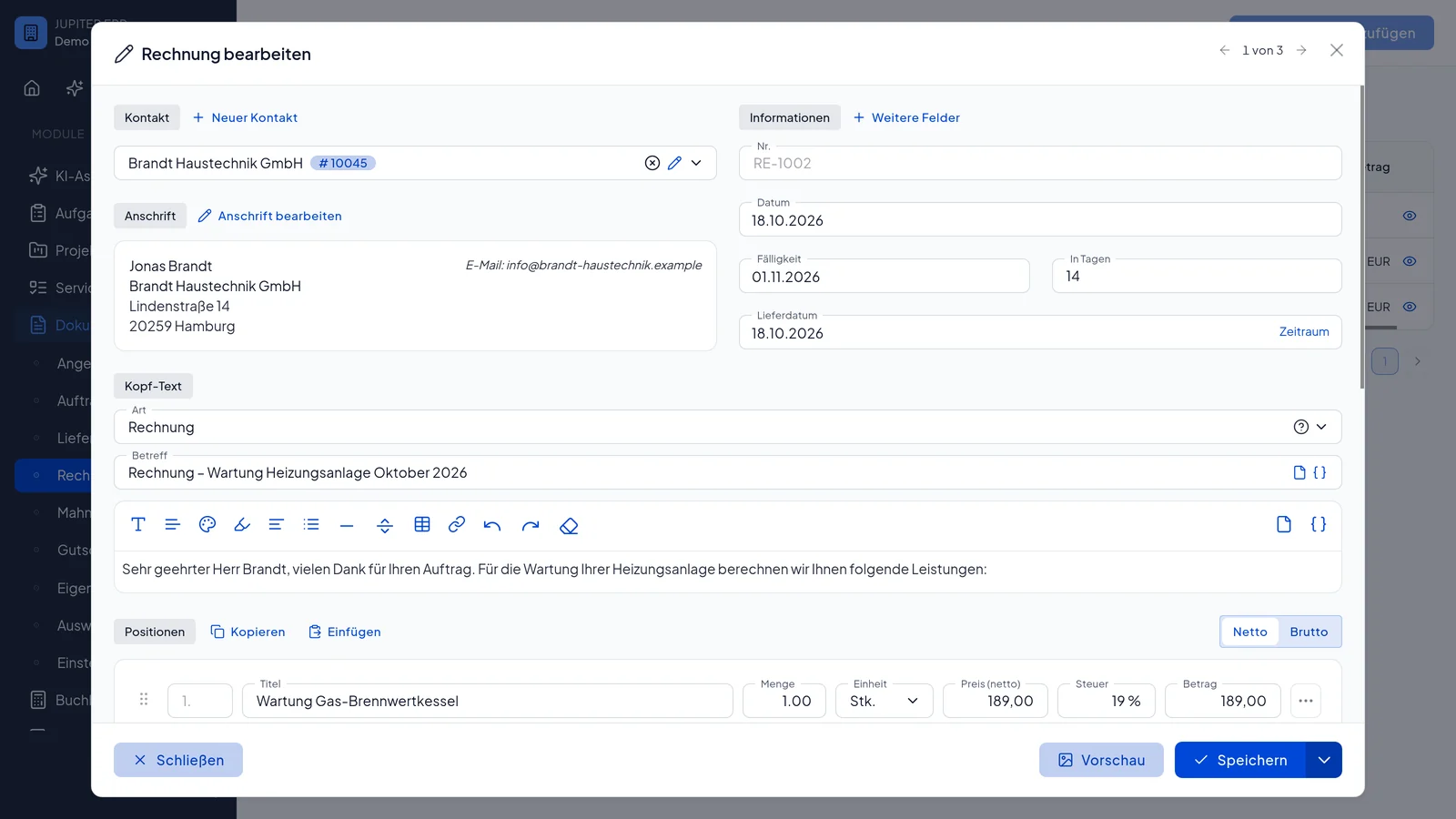

Rechnung bearbeiten im Jupiter ERP Panel — Positionen und Belegdetails

Context stays in the chain

Project, service order, cost center, and customer data stay on the follow-on document: reports and contact history remain complete. For trades, retail, and service providers that is the difference between ERP and loosely coupled point tools.

Which follow-on documents you derive

Process-further copies the context into the next document type. New are the number, the date, and the status. You take the rest over and only adjust what changed.

  • From a quote: order confirmation, delivery note, or invoice
  • From an order confirmation: delivery note or invoice
  • From a delivery note: the invoice for what was delivered
  • From an invoice: dunning notice, credit note, or, depending on status, delivery note and quote
  • Carry contact, lines, discounts, and texts
  • Keep project, service order, and cost center on the follow-on document
Rechnung bearbeiten im Jupiter ERP Panel — Positionen und Belegdetails

Less drift between the sale and the invoice

The common mistake happens when someone retypes. When the line from the quote is already on the invoice, you only check what changed.

Reports and the contact history stay on the chain, not on single PDFs with no link.

How it works in the panel

The main building blocks at a glance, complemented by the longer description above.

From quote

Create order confirmation, delivery note, or invoice after acceptance via “Process document”.

From order confirmation

Derive delivery note or invoice: material and services from the order carry over.

From delivery note

Create invoice for the delivered order: quantities and lines are already in place.

From invoice

Dunning for open items, credit note for cancellation, delivery note or quote as follow-on: depending on configuration and status.

Context preserved

Project, service order, cost center, and customer data carry over: the document stays traceable in the chain.

Common questions

Jupiter ERP

Your first invoice in minutes

Start for free: write invoices on the Free plan. Choose plan, term, and add-ons in the app afterwards. Custom adaptations or API integration? Get in touch.

  • 14-day trial
  • No credit card
  • Hosted in Germany
  • GDPR-compliant
Process documents · Jupiter ERP
