Jupiter ERP

Documents

Partial and final invoices

Bill part of the work and keep the rest on the order.

A partial invoice bills part of the quantities on the order. The rest stays open. The final invoice bills the quantities that are still open and blocks further lines.

Serviceauftrag-Detailansicht im Jupiter ERP Panel

At a glance

These are the points this feature covers day to day.

  • Quantities on the order
  • One final invoice per order
  • The same invoice number series

In the product

The workflow in Jupiter ERP, on this page.

In depth

Background, typical workflows, and concrete panel capabilities, more detail than the summary above.

Bill quantities, not the whole order at once

On the order you see, per line, what was agreed, delivered, billed, and still open. The partial invoice takes part of the open quantity. The rest stays on the order and can go on the next invoice.

It stays a normal invoice: the same number series, the same layout, the same sending. The PDF says partial invoice or final invoice. A subject you wrote yourself stays as it is.
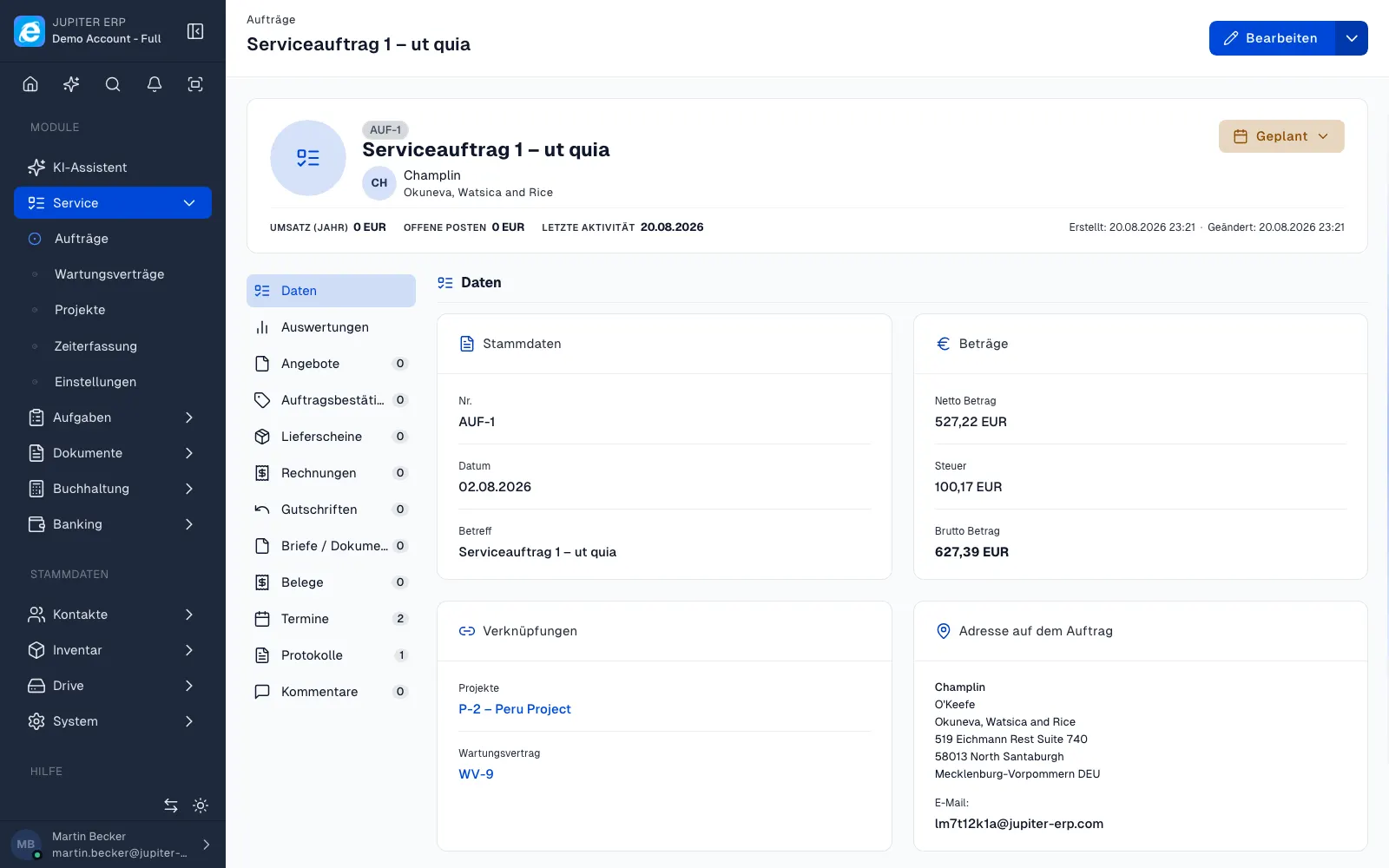

Serviceauftrag-Detailansicht im Jupiter ERP Panel

The final invoice closes the job

The final invoice is filled with the quantities that are still open. After it is locked, further lines on the order stay blocked until this invoice is cancelled or fully credited. A partial invoice that brings the remainder to zero does not lock the order.

Delivery and billing run separately. A delivery note counts as delivered and does not reduce open billing. A credit note reduces only the quantity that was already billed.

What you pick on the order

Create document lets you choose a delivery note, partial invoice, final invoice, or credit note, and the quantities. The suggestion is the open quantity. For a delivery note or an invoice you may enter more. A credit note cannot exceed the billed quantity.

  • A partial invoice leaves the order open, even when nothing is open right now
  • A new line or a higher quantity becomes billable again
  • Exactly one final invoice per order; a draft already counts
  • Quantities you leave off cannot be billed after the final invoice is locked
  • Payment and dunning stay on the individual invoice

Without an order, only as text

When service orders are in your subscription, you can set the type on an invoice that has no order. Then only the heading and the subject change. Quantities and the lock exist only on the order.

Partial and final invoices belong to the Service module, because quantity billing hangs on the order.

How it works in the panel

The main building blocks at a glance, complemented by the longer description above.

Partial invoice

Bill open quantities in full or in part. The order stays open. A new line or a higher quantity can be billed later.

Final invoice

Bill the quantities that are still open. After it is locked, further lines stay blocked until the final invoice is cancelled or fully credited.

Heading on the printout

It stays an invoice, with the same number series and the same layout. The PDF says partial invoice or final invoice.

Common questions

Jupiter ERP

Your first invoice in minutes

Start for free: write invoices on the Free plan. Choose plan, term, and add-ons in the app afterwards. Custom adaptations or API integration? Get in touch.

  • 14-day trial
  • No credit card
  • Hosted in Germany
  • GDPR-compliant
Partial and final invoices · Jupiter ERP
