Jupiter ERP

Accounting & export

Recognize receipts with AI and prepare them for posting — export for tax advisors and DATEV.

Upload expense receipts, read e-invoices automatically, and let AI fill missing fields on scans: Jupiter suggests contacts, booking accounts, and line items. Cost centers, accounting settings, and structured exports prepare your data for month-end.

  • AI suggestions for contact, account & line items
  • Recurring receipts & fixed-asset depreciation
  • EÜR, P&L & BWA reports with CSV/PDF export
  • DATEV-compatible data export
  • Email delivery to tax advisor
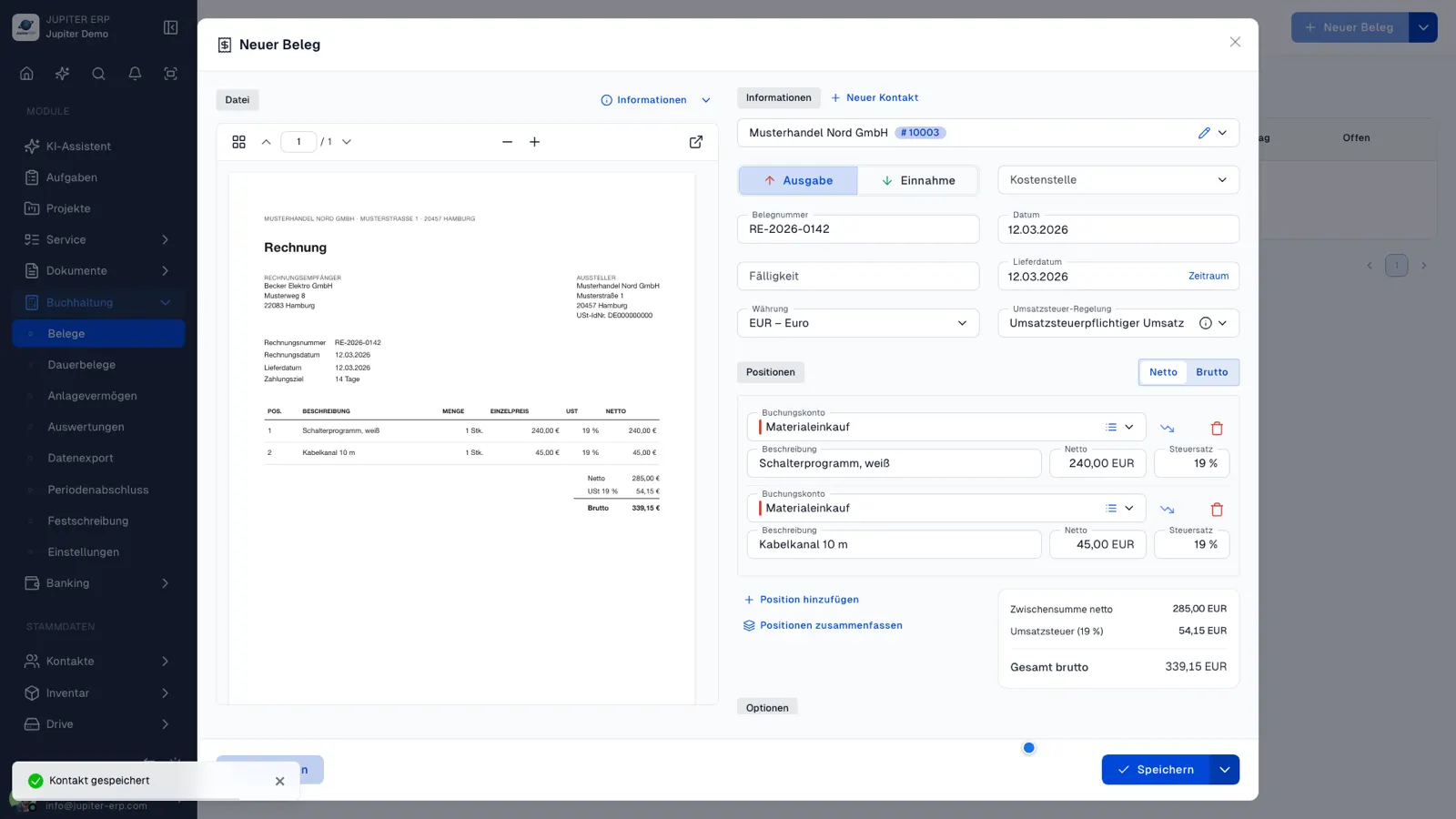
Kostenbeleg bearbeiten im Jupiter Panel
Jupiter Panel

AI receipt recognition

Upload a scan — review suggestions — done

The AI module is included from Basic upward. Jupiter reads structured e-invoices automatically from XML; for scans, AI suggests contact, account, and line items.

  • Contact, booking account, and line items suggested after upload
  • E-invoice (ZUGFeRD/XRechnung) automatically from XML
  • Review and confirm — you stay in control

Plan details on the pricing page for details.

In depth

What the module means in practice — beyond the feature list, with concrete day-to-day value in the panel.

Capture inbound documents in a structured way

Expense receipts and incoming invoices land centrally in Jupiter. Structured e-invoices (ZUGFeRD, XRechnung) are read automatically from XML — amounts, dates, and parties without manual typing.

For scan PDFs and photos, AI fills missing fields: contact, booking account, lines, and cost center as suggestions after upload. You review and confirm — control stays with you while effort drops significantly.
From receipt to tax advisor

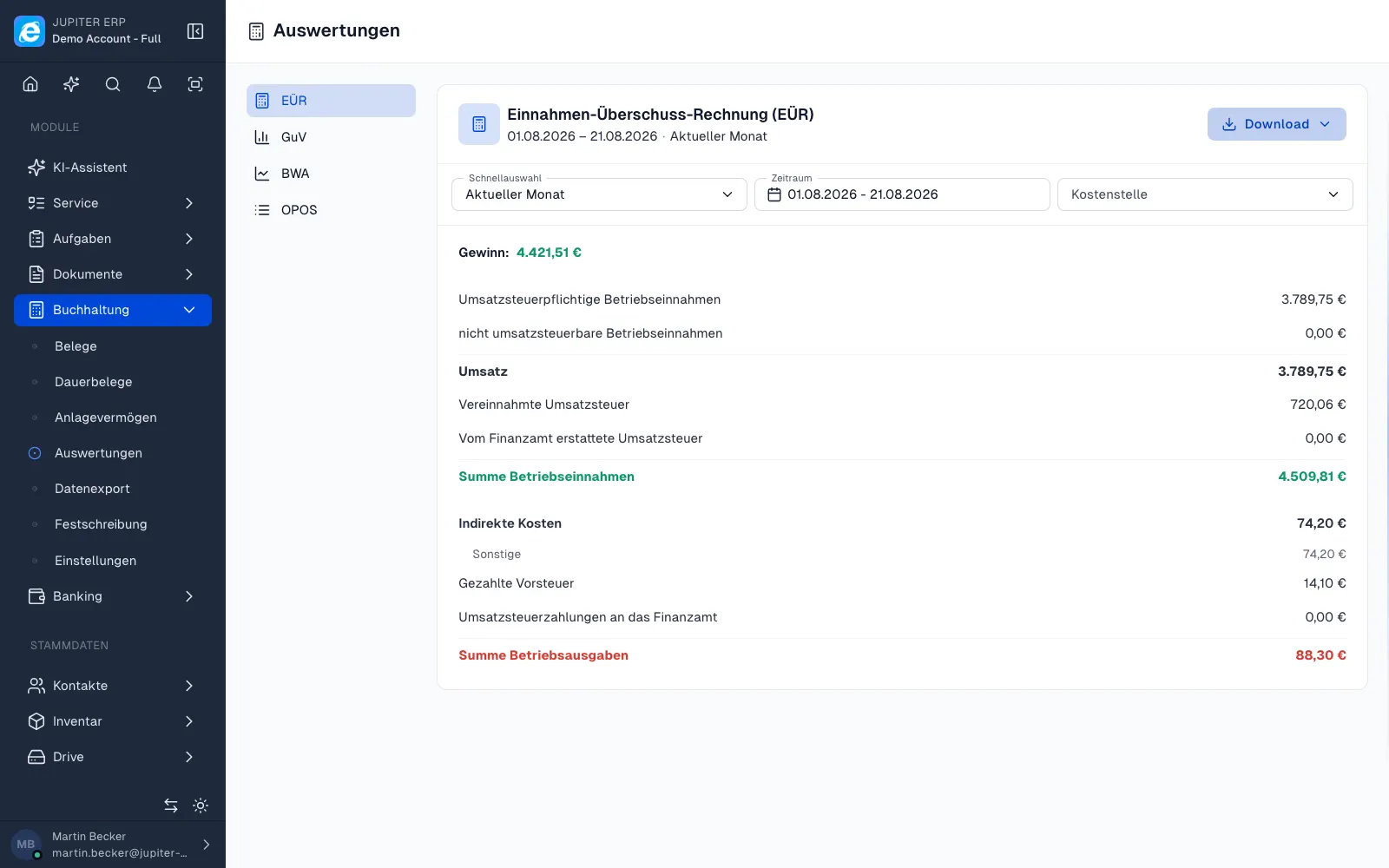
Configure cost centers, chart of accounts, and tax codes once centrally. EÜR and P&L are built from captured data — filterable by period and cost center, exportable as CSV or PDF.

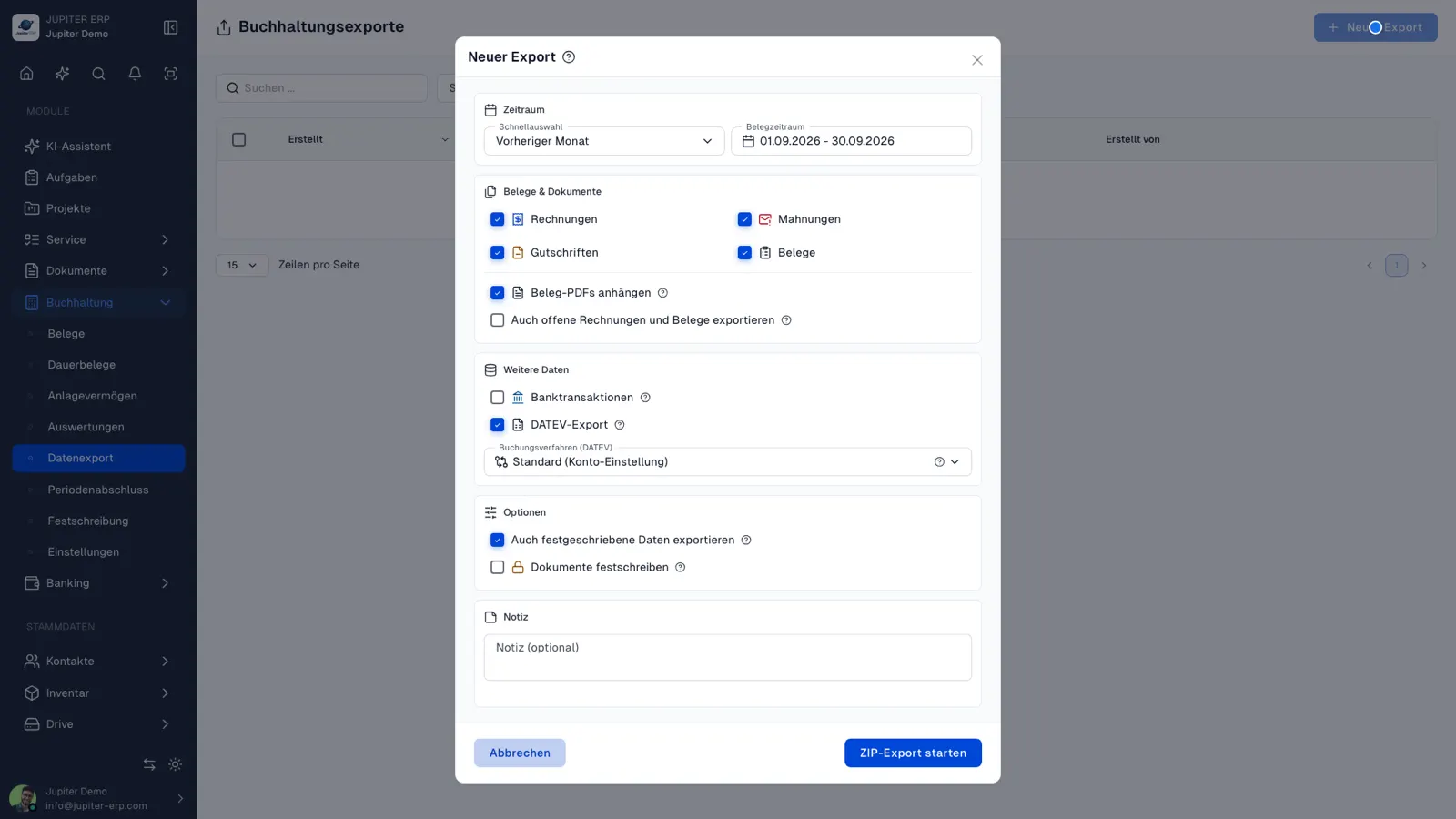
The DATEV export bundles selected documents and optionally bank transactions in a ZIP package. Download it or email it directly to your tax advisor — recipient and mail text come from accounting settings and text templates.

Features in Buchhaltung

What you can do in this module — no fluff. Details for individual panel features are under Features.

  • AI receipt recognition

    Scan PDFs and receipt photos are read by AI — contact, booking categories, amounts, and line items as suggestions right after upload. Structured e-invoices (ZUGFeRD/XRechnung) are read from XML without AI and consume no credits.

  • Cost centers

    Cost centers on documents and in reports — by department, project, or location.

  • Accounting configuration

    Maintain chart of accounts (SKR 03/04), tax codes, and rules centrally and use them consistently on new documents.

  • Small business & taxation type

    Set the taxation type per account: small business under §19 UStG, or accrual/cash taxation. For small businesses Jupiter presents reports gross without separate input-VAT lines and capitalises depreciation and low-value assets (GWG) gross accordingly; under regular taxation the EÜR shows paid input VAT and output VAT separately.

  • DATEV export

    Export in DATEV-compatible format for handoff to tax advisors — optionally including bank transactions as CSV.

  • Income surplus calculation (EÜR)

    Cash-basis profit determination — business income and expenses by payment date, including CSV and PDF export.

  • Profit and loss statement (P&L)

    Accrual-basis P&L by document date — income and expenses grouped by booking accounts, filterable by cost center, including CSV and PDF export.

  • Management accounting report (BWA)

    Monthly BWA by document date with revenue, cost and KPI lines — current month, previous month and year-to-date, filterable by cost center, including CSV and PDF export. Included in Enterprise and trial.

  • Send to tax advisor

    Email a completed accounting export with ZIP attachment — default recipient in accounting settings, message from text templates.

  • Period lock (GoBD)

    Make invoices, dunning notices, credit notes, receipts, and bank transactions immutable — by period or automatically during the accounting export.

  • Expense receipts & inbound e-invoices

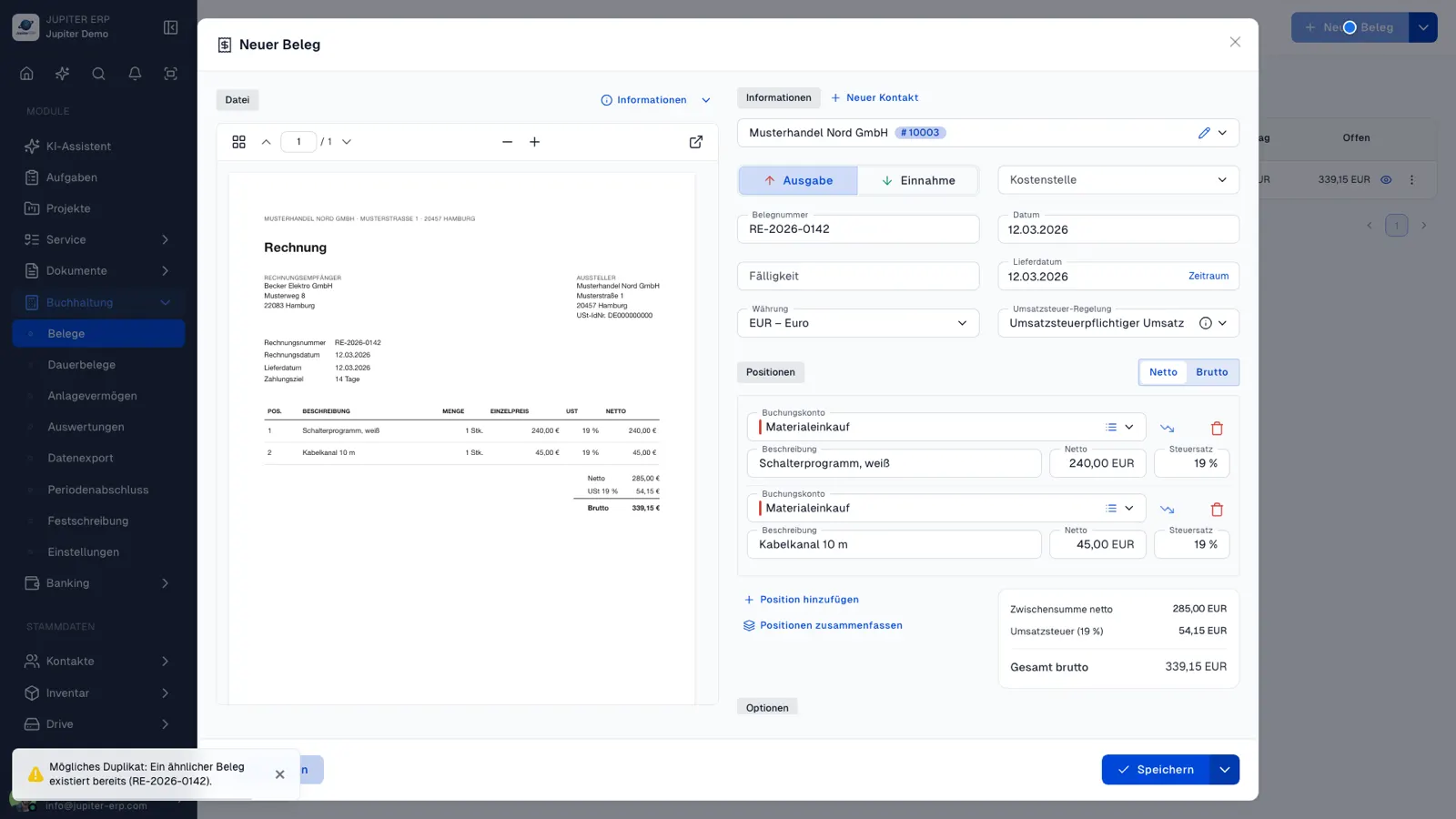
    Capture incoming invoices and receipts, track payment status, and hand off booking-ready data to your tax advisor and DATEV — including cost centers and duplicate checks.

  • Recurring receipts

    Set up recurring inbound receipts as templates with intervals — Jupiter generates receipts automatically when due, optionally with attachments and a link back to the template. Included in Enterprise and trial.

  • Depreciation & fixed assets

    Mark fixed assets on expense receipt line items with linear depreciation or GWG — depreciation schedule, fixed-assets overview, and integration into EÜR, P&L, BWA, and DATEV export. Included in Enterprise and trial.

Typical use cases

How teams use Buchhaltung day to day.

Scan PDFs and receipt photos instead of manual typing
Companies with an external tax advisor
Growing document volume with multiple cost centers
Jupiter ERP

Ready for Jupiter ERP?

Start for free — choose plan, term, and add-ons in the app afterwards. Custom adaptations or API integration? Get in touch.

Accounting & export · Jupiter ERP

