

Solutions · AI
AI that removes work, right in the panel
Jupiter ERP applies AI where it saves time: capturing incoming receipts, with the Jupiter AI assistant on every page, and in chat with your company data. Structured e-invoices are read automatically from XML; AI fills in scans, missing fields, and your questions about the current page.
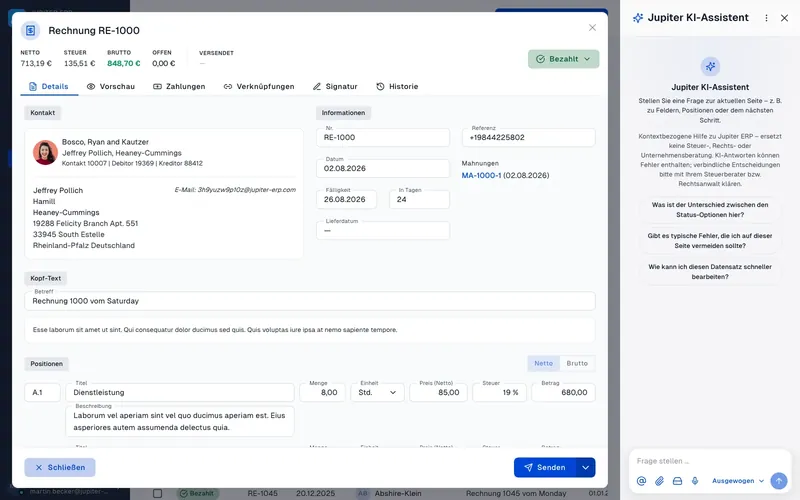
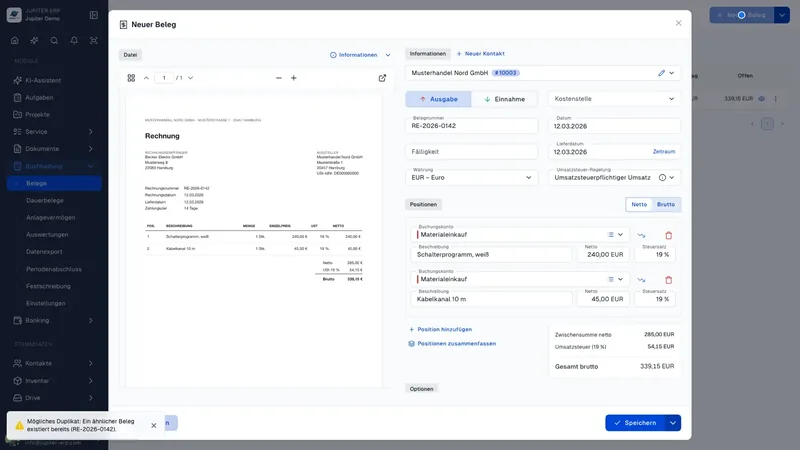
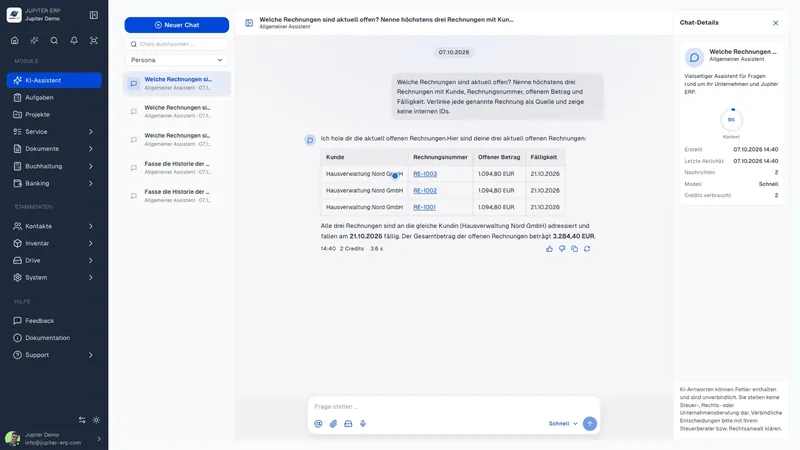
Capture receipts instead of typing them
When you upload an expense receipt, Jupiter ERP reads structured e-invoices directly from the XML. For scans and photos, the AI fills in contact, ledger account, amounts, and line items as a suggestion. You review and confirm.
- Structured e-invoices (ZUGFeRD/XRechnung) automatically from XML
- AI suggestion for contact, account, cost center, and line items
- Duplicate check on capture
- Control stays with you. Suggestions are reviewable
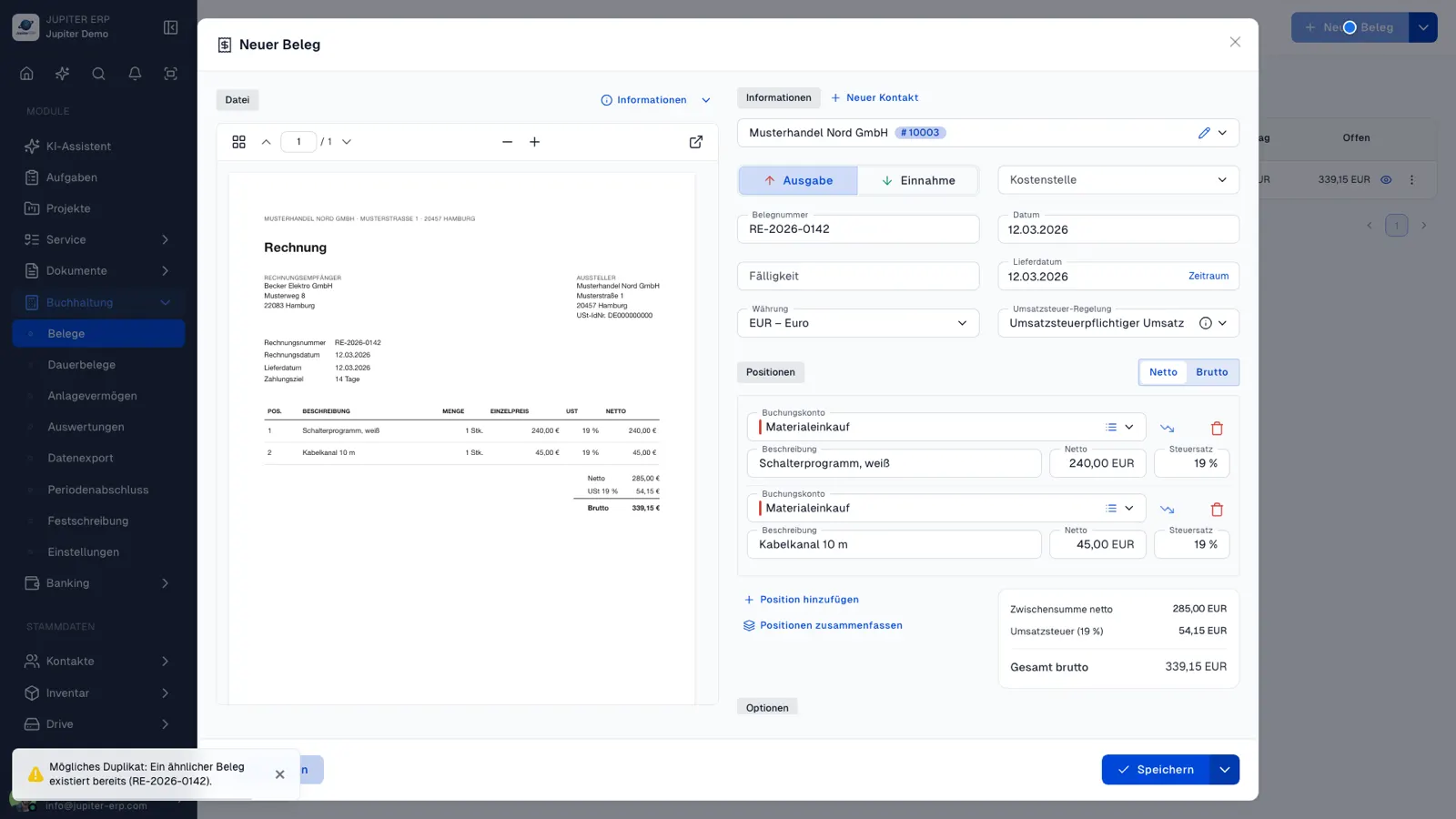
An assistant that knows every page, not just the chat
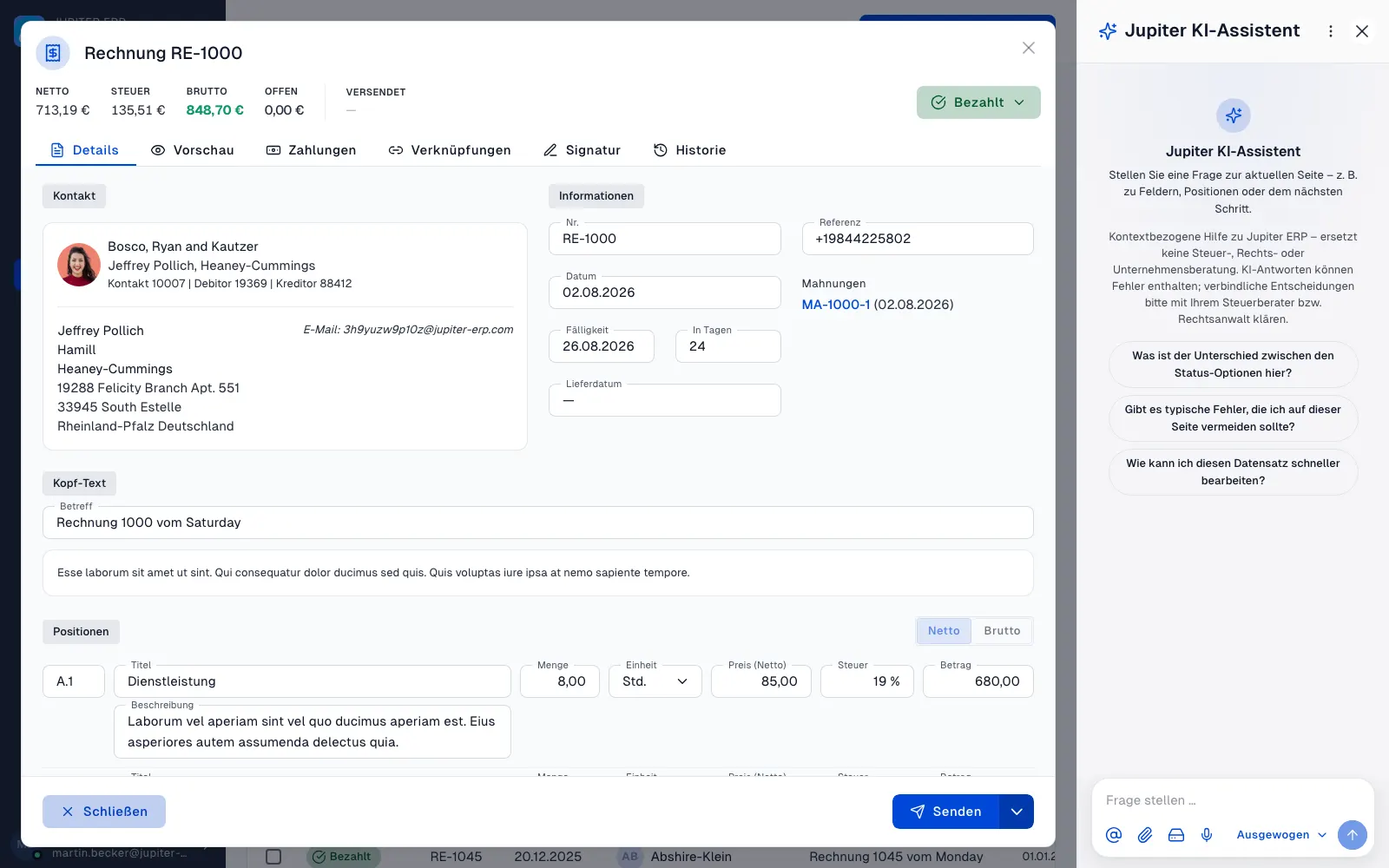
Alongside receipt recognition, the Jupiter AI assistant is part of the AI module: a narrow sidebar you open from the sparkle icon on practically every page in the panel. Unlike a generic chat, it knows the current page, the open form, or the open document, and answers questions about it directly, without switching tabs.
- Opens on every page with one click
- Knows the form, document, and field in the current context
- Short, concrete answers instead of long explanations
- Part of the AI module, not a standalone product
The agent you already use works in your tenant
Create an access token under Profile → API & MCP and enter the endpoint in your agent. It looks up contacts, documents, tasks, and reports. Creating, changing, and sending go only as far as the token allows. Subscription, users, and the Jupiter AI assistant stay in the panel.
- Its own token under Profile → API & MCP, with the same permissions as for the Account API
- Look up contacts, documents, tasks, projects, and reports in the conversation
- New documents stay drafts. Finalizing and sending need the matching permission
- Subscription, users, webhooks, and the Jupiter AI assistant chat are closed
- Included in the trial and on the Enterprise plan
How the AI module works
One shared module for assistant, chat, and receipt recognition, instead of separate add-ons per feature.
Included from Basic
AI assistant, sidebar help, and receipt recognition are bundled in the AI module. Plan details on the pricing page.
Integrated in the panel
No external tool, no tab switching: AI is built into receipts, contacts, and analytics.
Tenant isolation
The assistant works read-only on your data, strictly limited to your account.
Use cases
What you use the AI for
- Read incoming invoices and receipts automatically
- Get a suggested contact and ledger account for a receipt
- Assign cost centers right on capture
- Relieve accounting from many scanned PDFs
- Ask about revenue, open items, and customers in AI chat
The AI module is included from Basic upward. Questions about usage? Get in touch.

Your first invoice in minutes
Start for free: write invoices on the Free plan. Choose plan, term, and add-ons in the app afterwards. Custom adaptations or API integration? Get in touch.
- 14-day trial
- No credit card
- Hosted in Germany
- GDPR-compliant
