Jupiter ERP

Documents

E-invoicing (ZUGFeRD and XRechnung)

ZUGFeRD in the PDF, XRechnung 3.0 as a download for public authorities.

Enable e-invoicing per invoice or credit note: Jupiter ERP creates a PDF with embedded ZUGFeRD 2.x XML (EN 16931 profile). For public authorities you also download XRechnung 3.0 (CII, EN 16931). Master data, lines, and taxes come from your document.

Rechnung bearbeiten im Jupiter ERP Panel — Positionen und Belegdetails

At a glance

These are the points this feature covers day to day.

  • ZUGFeRD 2.x, EN 16931 profile, in invoice PDFs
  • XRechnung 3.0 as a download for invoices to public authorities
  • Invoices and credit notes
  • Can be set as tenant default

In the product

The workflow in Jupiter ERP, on this page.

In depth

Background, typical workflows, and concrete panel capabilities, more detail than the summary above.

Structured invoice data in the PDF

B2B e-invoicing makes machine-readable invoice data the standard. Jupiter ERP generates ZUGFeRD 2.x with the EN 16931 profile directly on PDF export: embedded in invoices and credit notes, readable for people and systems alike. For public authorities you also download XRechnung 3.0.

Enable e-invoicing per document or as a tenant default. Master data, line items, taxes, and references flow from the document into the XML. On invoices Jupiter ERP includes the seller IBAN as a payment mean in the ZUGFeRD XML; the visible PDF can also show a GiroCode for the bank transfer.
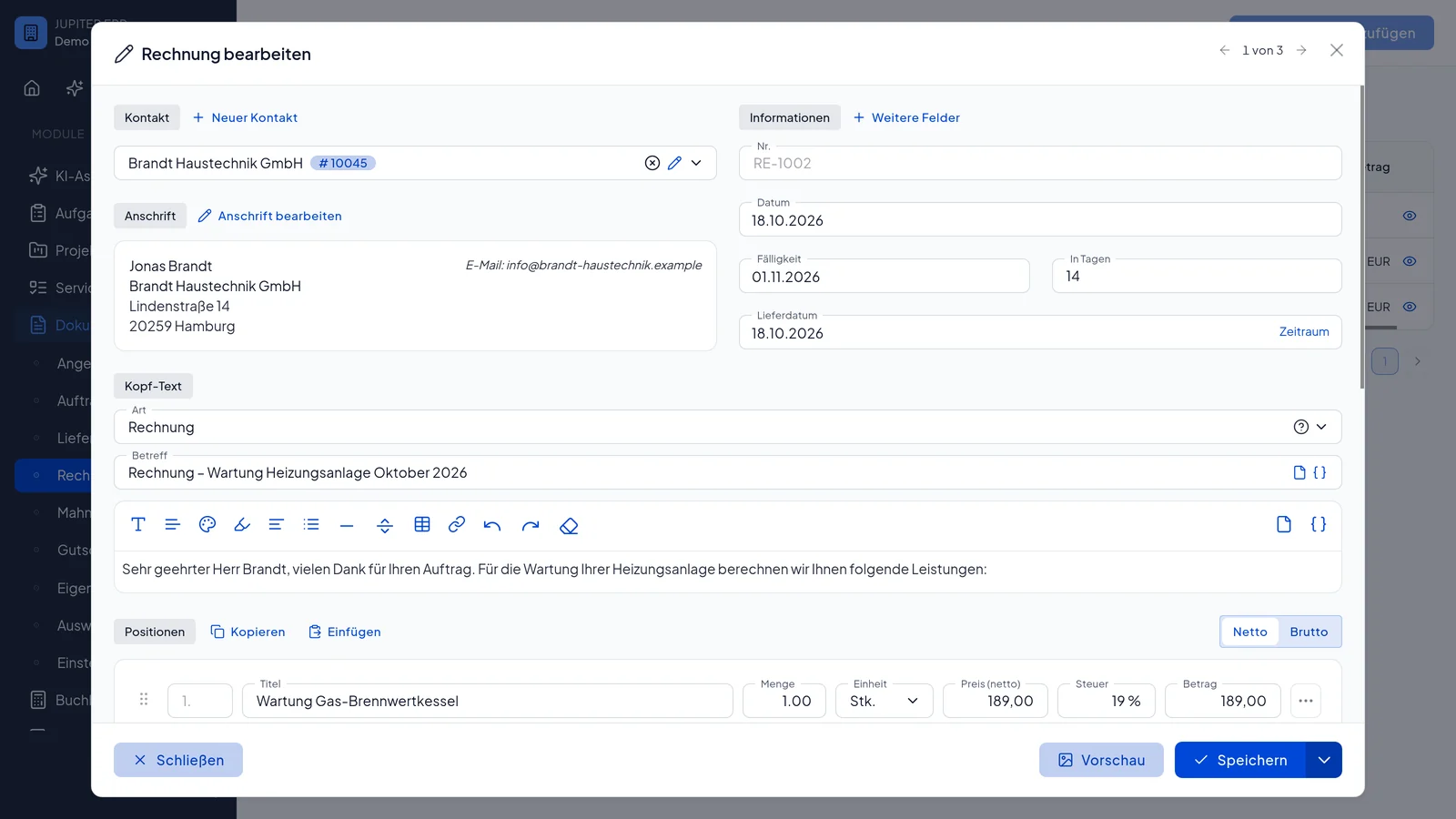

Rechnung bearbeiten im Jupiter ERP Panel — Positionen und Belegdetails

Sending and receiving in context

Send the PDF as usual by email from Jupiter ERP, with text templates and activity log. When structured e-invoices arrive, Jupiter ERP reads the XML automatically; no AI credits are consumed for that. Outbound you issue ZUGFeRD 2.x with the EN 16931 profile in the PDF and download XRechnung 3.0 for public authorities.

XRechnung for public authorities

For invoices to public authorities you download XRechnung 3.0 (CII, EN 16931). That covers invoices and credit notes.

You store the Leitweg-ID on the contact. When you select the contact, Jupiter ERP copies it onto the document. You can still change the value in the address block. The XRechnung uses the Leitweg-ID saved on the invoice or credit note.

In the preview, open the XRechnung tab, or choose Download XRechnung in the send dialog. You submit the file in the authority's portal. The PDF stays the ZUGFeRD invoice.

Rechnung bearbeiten im Jupiter ERP Panel — Positionen und Belegdetails

What you do with e-invoices

E-invoicing is not a second program next to the normal invoice. You enable it on the document or as a tenant default, and Jupiter ERP writes the ZUGFeRD XML when the PDF is exported.

  • Create invoices and credit notes as a PDF with embedded ZUGFeRD 2.x (EN 16931 profile)
  • Carry master data, line items, taxes, buyer reference, and project references from the document
  • Write the seller IBAN into the XML as a payment mean, and show a GiroCode on the visible PDF
  • Send the PDF by email as usual, with a text template and an activity-log entry
  • Read incoming structured e-invoices from the XML instead of retyping the fields
  • Decide per tenant whether new invoices are e-invoices by default

What matters in daily work

Outbound you issue ZUGFeRD 2.x with the EN 16931 profile in the PDF and download XRechnung 3.0 for public authorities. Incoming ZUGFeRD and XRechnung files are read when you capture a cost document.

Whether and from when you must issue structured invoices depends on company size and the transition rules. Jupiter ERP provides the format. The obligation itself is something to confirm with your tax adviser.

How it works in the panel

The main building blocks at a glance, complemented by the longer description above.

Create on the document

“E-invoicing” toggle on invoice and credit note; optionally set as default in document settings.

PDF with embedded XML

When generating the PDF, ZUGFeRD XML is embedded: human-readable (PDF) and machine-readable (XML). On invoices the seller IBAN is included as a payment mean; the visible PDF can also show a GiroCode for the bank transfer.

Credit notes & references

Credit notes as e-invoices with the right document type; buyer reference and project references flow into the XML.

XRechnung for public authorities

On an invoice or credit note you download XRechnung 3.0 (CII, EN 16931). The contact's Leitweg-ID is copied onto the document. The file uses the value on the invoice or credit note.

Send from Jupiter ERP

Send PDF by email from the panel, with text templates and activity log.

Common questions

Jupiter ERP

Your first invoice in minutes

Start for free: write invoices on the Free plan. Choose plan, term, and add-ons in the app afterwards. Custom adaptations or API integration? Get in touch.

  • 14-day trial
  • No credit card
  • Hosted in Germany
  • GDPR-compliant
E-invoicing (ZUGFeRD and XRechnung) · Jupiter ERP