

Solutions
Your UI, our business logic
Use Jupiter ERP as your central data layer. Documented APIs, clear tenant separation, and secure sign-in, ideal for your apps, portals, and integrations. Personal access tokens for the Account API are included with Trial and Enterprise.
Shape
Your UI, one tenant
Apps, shops, and portals call the Account API. Number ranges, tax, and permissions stay in Jupiter ERP. When a document or contact changes, a webhook can notify your systems.
One ERP core, many frontends
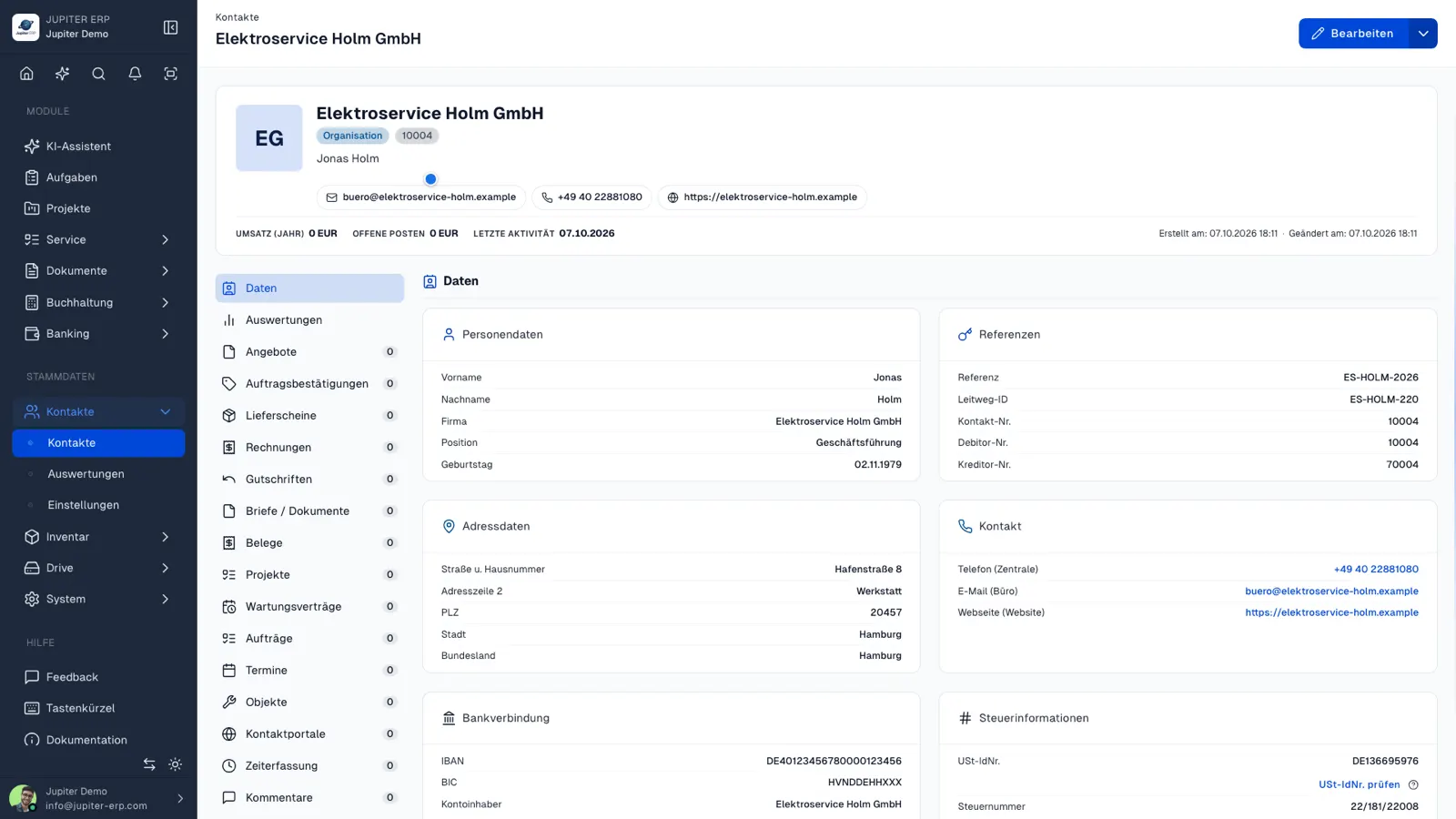
The Jupiter ERP panel is not the only way to work with us. Business logic, data integrity, and permissions stay in Jupiter ERP. Your app, portal, or partner systems use the APIs.
- Documented APIs as a shared foundation for development
- Personal access tokens on Trial and Enterprise for headless integrations
- Tenant context and access control built in
- Works well combined with custom development
Three steps to the first request
Token, tenant, request. The full reference sits next to this. Getting started is short.
Create a token
In the panel under Profile, API & MCP, create a personal token. It belongs to your user and therefore to exactly one tenant.
Send the tenant
Every request needs the X-Account-Uuid header. You find the UUID in account settings. Without it the API does not answer with someone else's data, or with yours.
Call REST
Authorization: Bearer, base URL https://api.jupiter-erp.com. A first check is GET /api/account. Lists use page and per_page.
The same data as in the panel
The Account API is not a second product. It opens the areas your team already works with.
Documents
Quotes, order confirmations, delivery notes, invoices, dunning notices, and credit notes: create, read, set status, send.
Master data
Contacts, groups, custom fields, products, catalogs, and text templates.
Service
Service orders, appointments, protocols, objects, projects, and tasks.
Finance
Bank accounts, transactions, cost centers, DATEV export, and reports such as income-expenditure, P&L, and BWA.
Files
Folders and files in Drive, attachments on documents.
Customer portal
You control access and shared PDFs from the tenant. End customers use the portal, not the Account API.
Deliver changes instead of polling
Jupiter ERP sends business events as HTTPS POST to an address you set under System, Webhooks. The body is JSON. The Jupiter-ERP-Signature header can be checked with your secret.
An event is stored only when at least one active endpoint subscribes to that type. The same id can go to several endpoints. Each endpoint has its own delivery.
Webhook referenceDelivery
POST, application/json
Signature
Jupiter-ERP-Signature
Scope
Up to 5 endpoints
Plan
Trial and Enterprise
Examples
- invoice.sent
- quote.accepted
- contact.updated
- document.signed
What you use the API for
Five typical projects. Tenant separation applies to all of them.
Your own app
Read and write contacts, documents, and service from your software. Business logic stays in Jupiter ERP.
Shop and sales
Orders become documents. Master data stays one source. Webhooks report shipping and payment back.
Customer portal
Choose per contact which PDFs are visible. End-customer sign-in uses the portal, not your API token.
Webhooks
invoice.sent, quote.accepted, and other events to your HTTPS address. Included in the trial and on Enterprise, up to five endpoints.
Reporting
Pull open items, bank transactions, and reports into your BI instead of exporting by hand.
Use cases
Typical integration scenarios
- Your own customer app, not only the standard portal
- A shop with Jupiter ERP as the document and master-data source
- Dispatch that reads service orders and protocols
- Dashboards on current revenue and open items
- Solutions under your brand, data in the tenant
Personal tokens are included with Trial and Enterprise. For larger projects we plan the cut with you: contact us.
The same data, asked in the agent
With the token from Profile → API & MCP, the agent calls POST /api/mcp. It sees only your tenant and the permissions you set on the token.
- A token of its own, separate from scripts and other integrations
- Look up, create, and change data within that token
- Subscription, users, and the Jupiter AI assistant stay in the panel
Continue in the reference
This page explains the frame. Endpoints, fields, and examples live in the reference.
Questions about connecting

Your first invoice in minutes
Start for free: write invoices on the Free plan. Choose plan, term, and add-ons in the app afterwards. Custom adaptations or API integration? Get in touch.
- 14-day trial
- No credit card
- Hosted in Germany
- GDPR-compliant
