Jupiter ERP

Documents

Dunning

Open items visible, dunning structured.

Dunning for open invoices with configurable levels and templates, without a separate dunning tool.

Mahnungsliste im Jupiter ERP Panel

At a glance

These are the points this feature covers day to day.

  • Linked to open invoices
  • PDF & sending
  • GiroCode in the PDF

In the product

The workflow in Jupiter ERP, on this page.

In depth

Background, typical workflows, and concrete panel capabilities, more detail than the summary above.

Track open items systematically

Dunning is created from open, overdue invoices, linked to the source document. Text templates and dunning levels are configured per tenant; sending and PDF work like other document types. The dunning PDF can show the same GiroCode as the invoice, with the outstanding amount including the dunning fee.

That keeps dunning in ERP context instead of separate Word templates or external dunning tools that do not know which invoice is already partially paid.
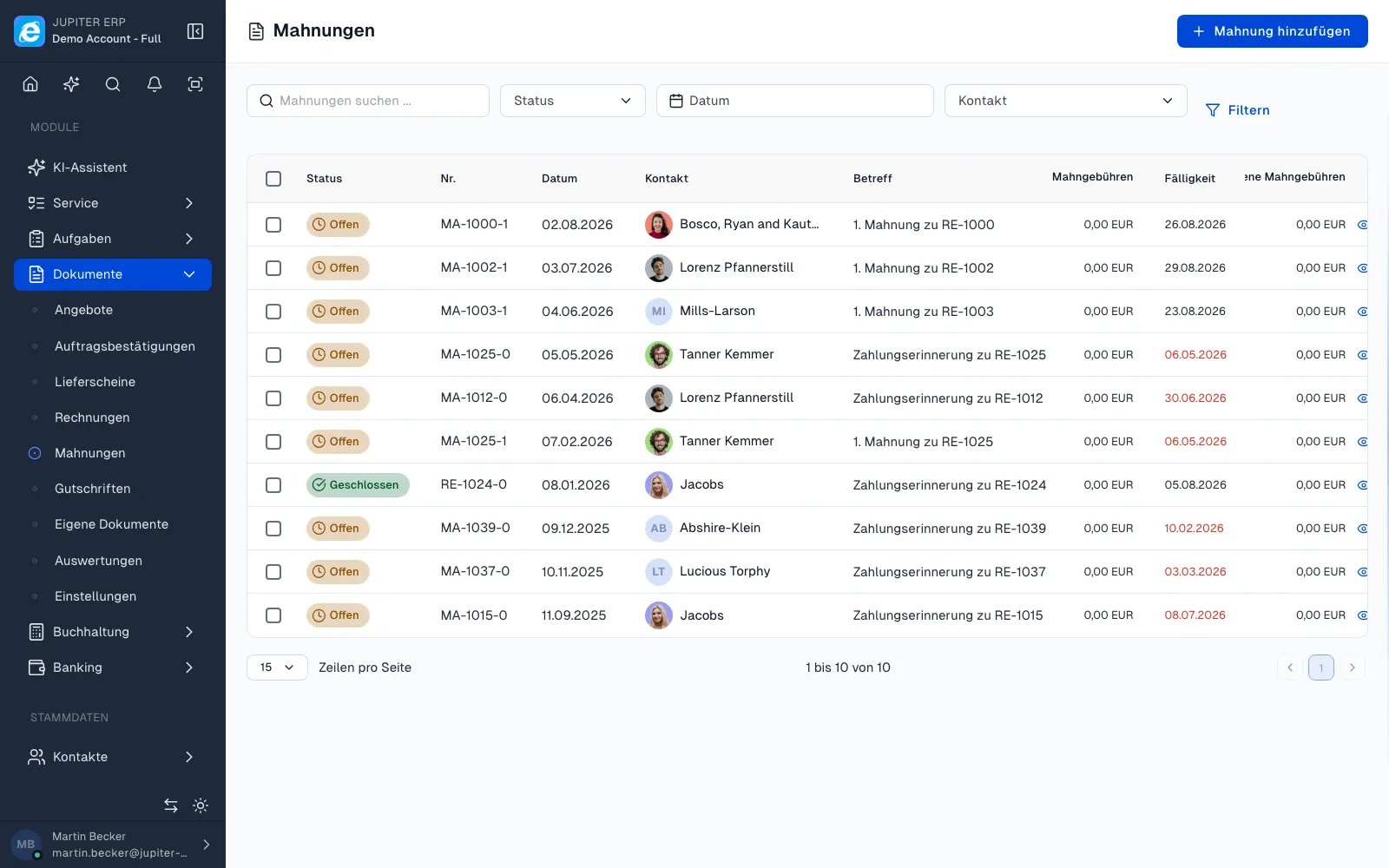

Mahnungsliste im Jupiter ERP Panel

Payment status in view

Banking allocations update invoice status; you send dunning where amounts remain open. Activity log and contact history show the timeline for internal coordination.

What you do with dunning notices

Dunning notices hang off the open invoice. Jupiter ERP knows partial payments from reconciliation, so you chase the amount that is still open, not a copy from a word processor.

  • Create a notice from an open, overdue invoice via process-further
  • Maintain dunning levels and text templates for the tenant
  • Produce a PDF with the open amount including the dunning fee
  • Print the same GiroCode as on the invoice so the banking app prefills the amount
  • Send by email or letter, with the send recorded in the activity log
  • After the payment arrives, update status in reconciliation instead of dunning again
  • See on the contact who received which level

Dunning stays in the ERP

A separate dunning tool does not know which invoice is already partly paid or credited. In Jupiter ERP the source document, the payment, and the notice stay in one chain.

For the tax adviser, dunning notices can be included in the DATEV export and in period locking.

How it works in the panel

The main building blocks at a glance, complemented by the longer description above.

Dunning

Dunning as its own document type in the panel.

GiroCode

Same as on the invoice: outstanding amount plus dunning fee as an EPC QR on the PDF so the transfer is prefilled in the banking app.

Jupiter ERP

Your first invoice in minutes

Start for free: write invoices on the Free plan. Choose plan, term, and add-ons in the app afterwards. Custom adaptations or API integration? Get in touch.

  • 14-day trial
  • No credit card
  • Hosted in Germany
  • GDPR-compliant
Dunning and payment reminders · Jupiter ERP
