Jupiter ERP

Service

Service orders

Jobs from order through billing.

Orders with status, owners, and appointments. Each line shows delivered, billed, and open, and you bill that with a partial or final invoice.

Note: Service module

Serviceauftrag-Detailansicht im Jupiter ERP Panel

At a glance

These are the points this feature covers day to day.

  • Open quantity per line
  • Partial and final invoices
  • Contact & service asset

In the product

The workflow in Jupiter ERP, on this page.

In depth

Background, typical workflows, and concrete panel capabilities, more detail than the summary above.

Plan and track jobs

Service orders bundle appointment, assignee, status, and contact, optionally linked to service object and project. Filters by status, technician, and date range give dispatchers the overview.

From the order come on-site reports and later a partial or final invoice in the office. Same master data, no duplicate customer entry. Each line still shows what was delivered, billed, and left open.
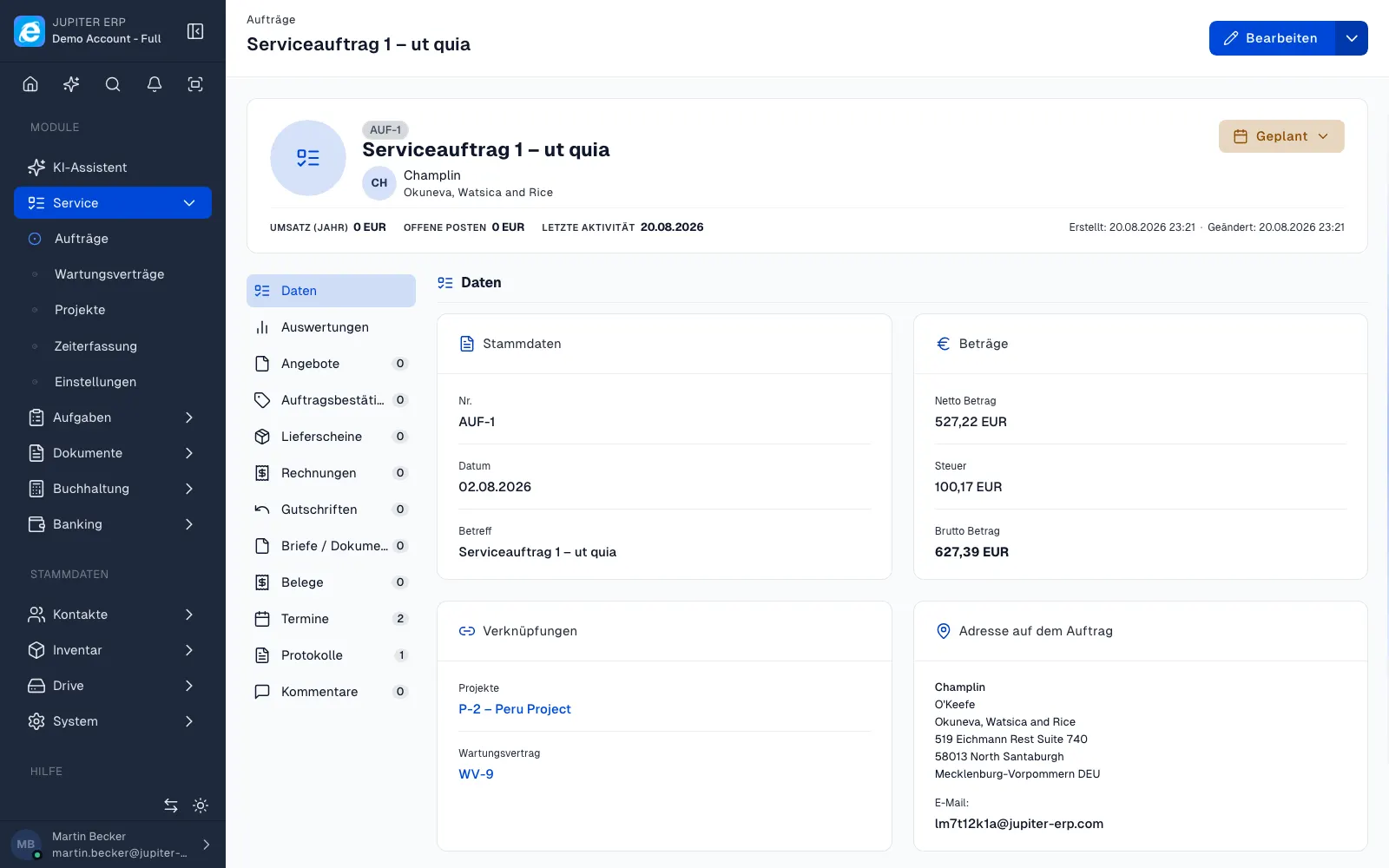

Serviceauftrag-Detailansicht im Jupiter ERP Panel

Appointments and team planning

Appointments attach to the order; the team planner shows team utilization. Reschedule via drag and drop updates planning without a parallel calendar spreadsheet.

What you do with a service order

The order is the container for a job: who, when, where, in which status, for which customer and which asset.

  • Create an order with a contact, optionally a service asset and a project
  • Assign responsible people and set appointments
  • Filter the list by status, technician, and period
  • Move appointments in the team planner and see them in My Day
  • Fill in the service report on site, including in the companion app
  • Bill open quantities as a partial or final invoice
  • Release the order in the customer portal when the customer should see the status

One master-data base for the job

Contact and asset are not entered again on the report or the invoice. Dispatcher, technician, and accounting work on the same order.

Service orders belong to the Service module.

How it works in the panel

The main building blocks at a glance, complemented by the longer description above.

Order list

Filter by status, technician, and period.

Appointments

Appointments on the order with planning view.

Billing

A partial invoice for part of the open quantity, a final invoice for the rest. The order shows what is still open.

Jupiter ERP

Your first invoice in minutes

Start for free: write invoices on the Free plan. Choose plan, term, and add-ons in the app afterwards. Custom adaptations or API integration? Get in touch.

  • 14-day trial
  • No credit card
  • Hosted in Germany
  • GDPR-compliant
Service orders · Jupiter ERP
