Jupiter ERP

Service

Companion app (iOS & Android)

Capture and field work on the phone. The panel stays in the browser.

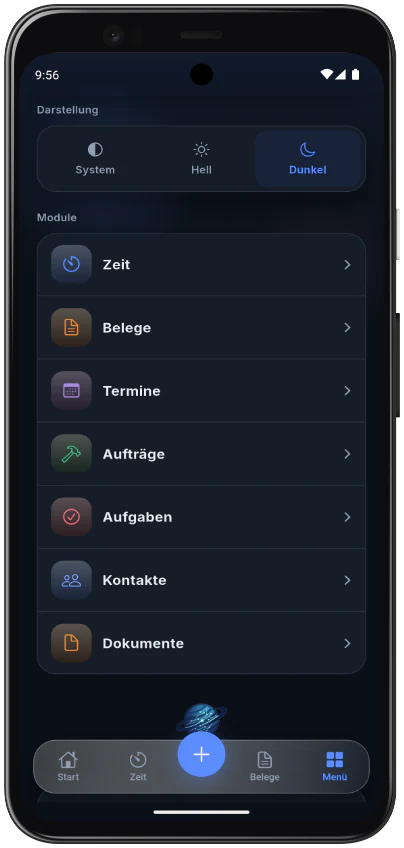
The native app is a companion, not a second ERP. You scan receipts, track time, work My Day and jobs, and view outgoing documents. Sign-up, billing, booking, and DATEV stay in the browser. The app is free. You need a Jupiter ERP account.

Jupiter ERP companion app on a smartphone

At a glance

These are the points this feature covers day to day.

  • Scan receipts, gallery, and share
  • Time tracking with a background timer
  • My Day, jobs, reports with signature
  • Free, account required, no in-app purchase

In the product

The workflow in Jupiter ERP, on this page.

In depth

Background, typical workflows, and concrete panel capabilities, more detail than the summary above.

What the app takes on

The companion app is for capture and field work. Creating documents, posting, DATEV, reports, and the subscription stay in the panel in the browser.

  • Create document drafts by scan, gallery, or share; review and post them in the panel
  • Start and stop time entries; the timer stays visible when the app is in the background
  • Open My Day with the jobs of the day
  • On the job: call, route, status
  • Fill in a service report with photos and a signature
  • Check off tasks on the job
  • View and share quotes, order confirmations, delivery notes, invoices, and credit notes
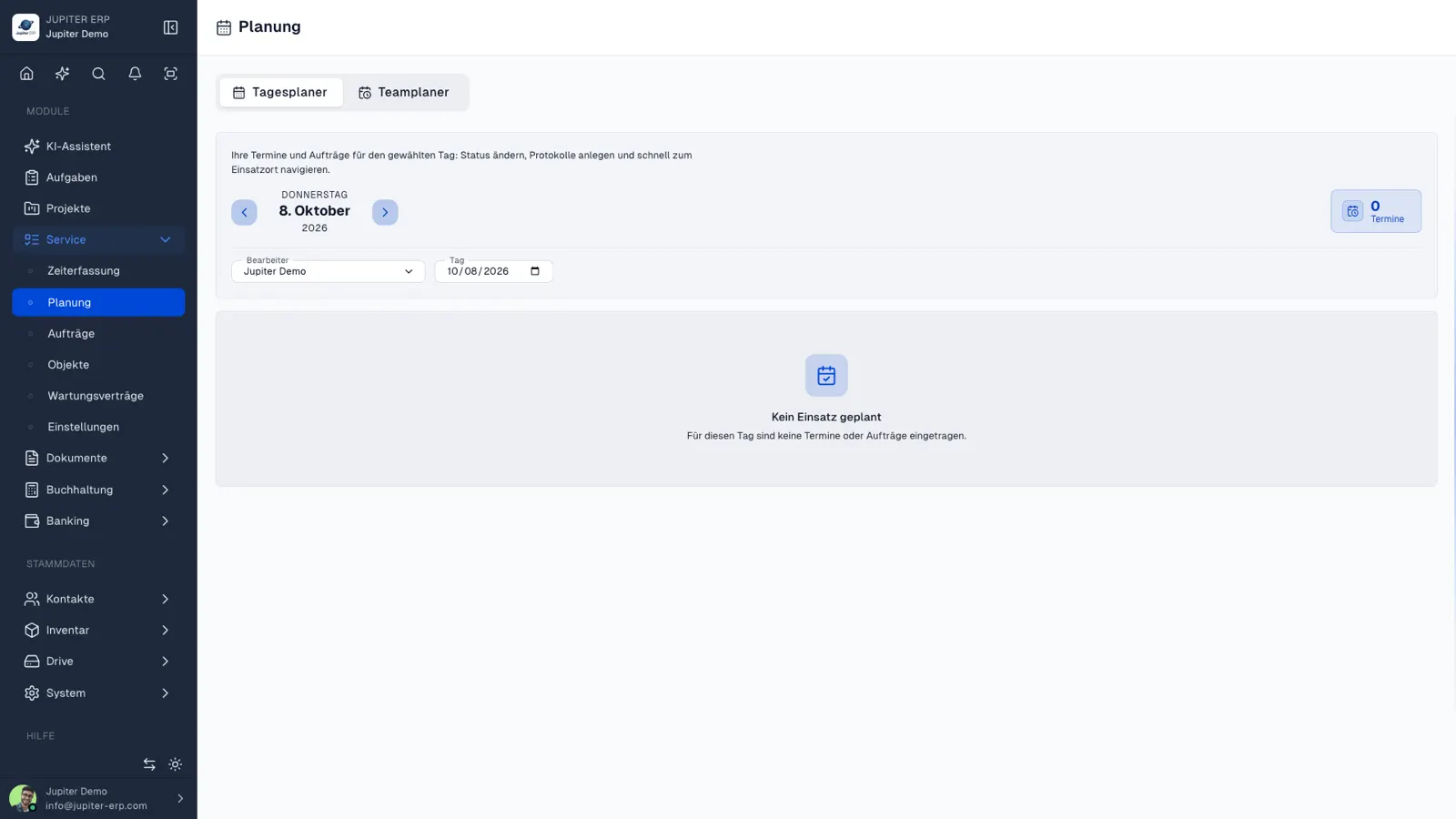
Tagesplanung „Mein Tag“ im Jupiter ERP Panel

Account, price, stores

The app is free and has no in-app purchases. You need a Jupiter ERP account. You choose the plan on the website or in the panel.

Until the App Store and Google Play list the app, use the panel in the browser, including on a phone.

What stays in the panel

Number ranges, letterhead, email and letter dispatch, payment reconciliation, DATEV export, period locking, and the accounting reports are not in the app. That is what the panel is for.

A typical split: scan or document the job on the road, then review, post, and send in the office. Both sides work in the same tenant.

How it works in the app

Capture and field work on the phone. Booking, DATEV, and reports stay in the panel.

Receipts on the go

Scan, gallery, or share into the app. Jupiter ERP creates a draft. Review and book it in the panel.

Time and My Day

Start and stop your own time. My Day shows today's jobs. The timer stays visible when the app is in the background.

Jobs on site

Call, route, status, service report with photos and signature, tasks.

View documents

Open and share quotes, order confirmations, delivery notes, invoices, and credit notes. Creating and sending stay in the panel.

Common questions

Jupiter ERP

Your first invoice in minutes

Start for free: write invoices on the Free plan. Choose plan, term, and add-ons in the app afterwards. Custom adaptations or API integration? Get in touch.

  • 14-day trial
  • No credit card
  • Hosted in Germany
  • GDPR-compliant
Companion app (iOS & Android) · Jupiter ERP

