Jupiter ERP

Service

Service objects

Assets and equipment with history, independent of the customer.

Create assets, equipment, or sites as service objects. Every job, report, and maintenance contract hangs off the object, including a customer-visible portal description, separate from internal notes.

Note: Service module

Serviceobjekte im Jupiter ERP Panel

At a glance

These are the points this feature covers day to day.

  • History of every job
  • Linked to orders & contracts
  • Portal text for customers

In the product

The workflow in Jupiter ERP, on this page.

In depth

Background, typical workflows, and concrete panel capabilities, more detail than the summary above.

The object, not only the customer

Recurring service often hangs off an asset or site, not only the company name. Service objects model exactly that: jobs, reports, and maintenance contracts stay traceable on the object, even when the contact person changes.

An optional portal description is separate from internal notes. In the portal, customers only see what you intended for them.
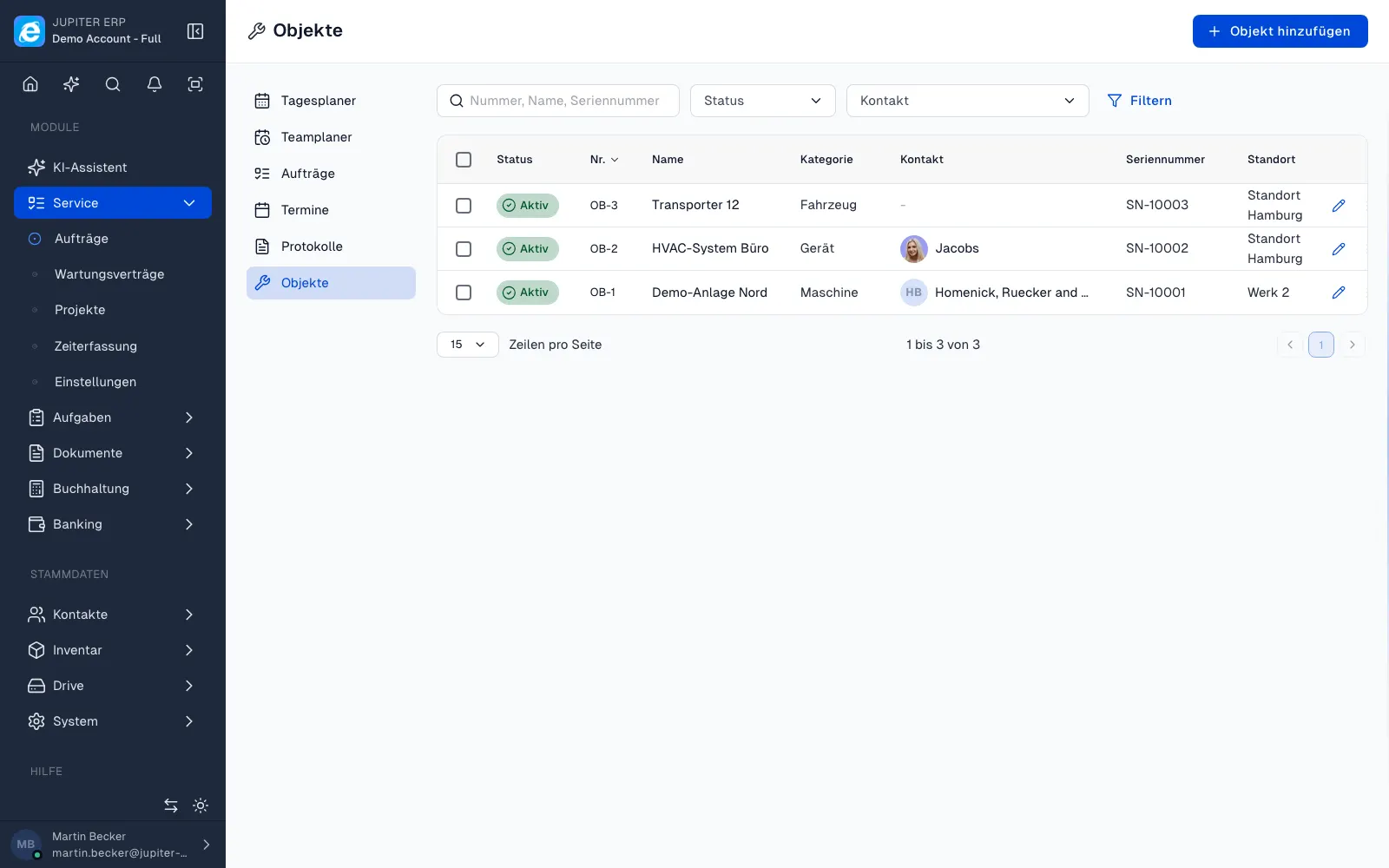

Serviceobjekte im Jupiter ERP Panel

Linked to orders and contracts

From the object you open related orders and reports. Maintenance contracts reference the same object, so due service is visible before the customer calls.

What you do on a service asset

The asset is the installation, the device, or the site. Visits stay attached to it even when the contact person at the customer changes.

  • Create name, location, and contact
  • Keep internal notes and a separate portal description
  • Filter orders and reports on the asset
  • Point maintenance contracts at the same asset
  • Show only the description meant for customers in the portal
  • Use the history when the same installation comes up again

An asset instead of a spreadsheet per device

Without an asset, history spreads across customer files and email. With an asset, dispatcher and technician open the record and see the recent visits.

Service assets belong to the Service module.

How it works in the panel

The main building blocks at a glance, complemented by the longer description above.

Object master

Name, location, contact, and internal notes, plus an optional description customers see in the portal.

Job history

Trace service orders and reports on the object: ideal for recurring maintenance on the same asset.

Contracts & documents

Reference maintenance contracts and follow-up documents on the object. No parallel Excel lists per device.

Common questions

Jupiter ERP

Your first invoice in minutes

Start for free: write invoices on the Free plan. Choose plan, term, and add-ons in the app afterwards. Custom adaptations or API integration? Get in touch.

  • 14-day trial
  • No credit card
  • Hosted in Germany
  • GDPR-compliant
Service objects · Jupiter ERP
