Jupiter ERP

Text templates

Consistent text with placeholders, without constant copy-paste.

Maintain snippets for document header, footer, subject, and email per tenant. Mustache placeholders for contact, document, and company data are replaced when inserting or printing: one click next to the text field.

Textvorlagen im Jupiter ERP Panel

At a glance

These are the points this feature covers day to day.

  • Placeholders for contact & document
  • Per document type & position
  • Email & document

In the product

The workflow in Jupiter ERP, on this page.

In depth

Background, typical workflows, and concrete panel capabilities, more detail than the summary above.

Write once, use everywhere

Text templates for document header, footer, subject, and email are maintained tenant-wide under system settings. Type (document, email, general), document kind, and position (subject, top, bottom) filter the right template on the document.

Mustache placeholders like {{contact.name}} or {{document.number}} are replaced by Jupiter ERP on insert or print: grouped by contact, address, document, and tenant in the placeholder dialog.
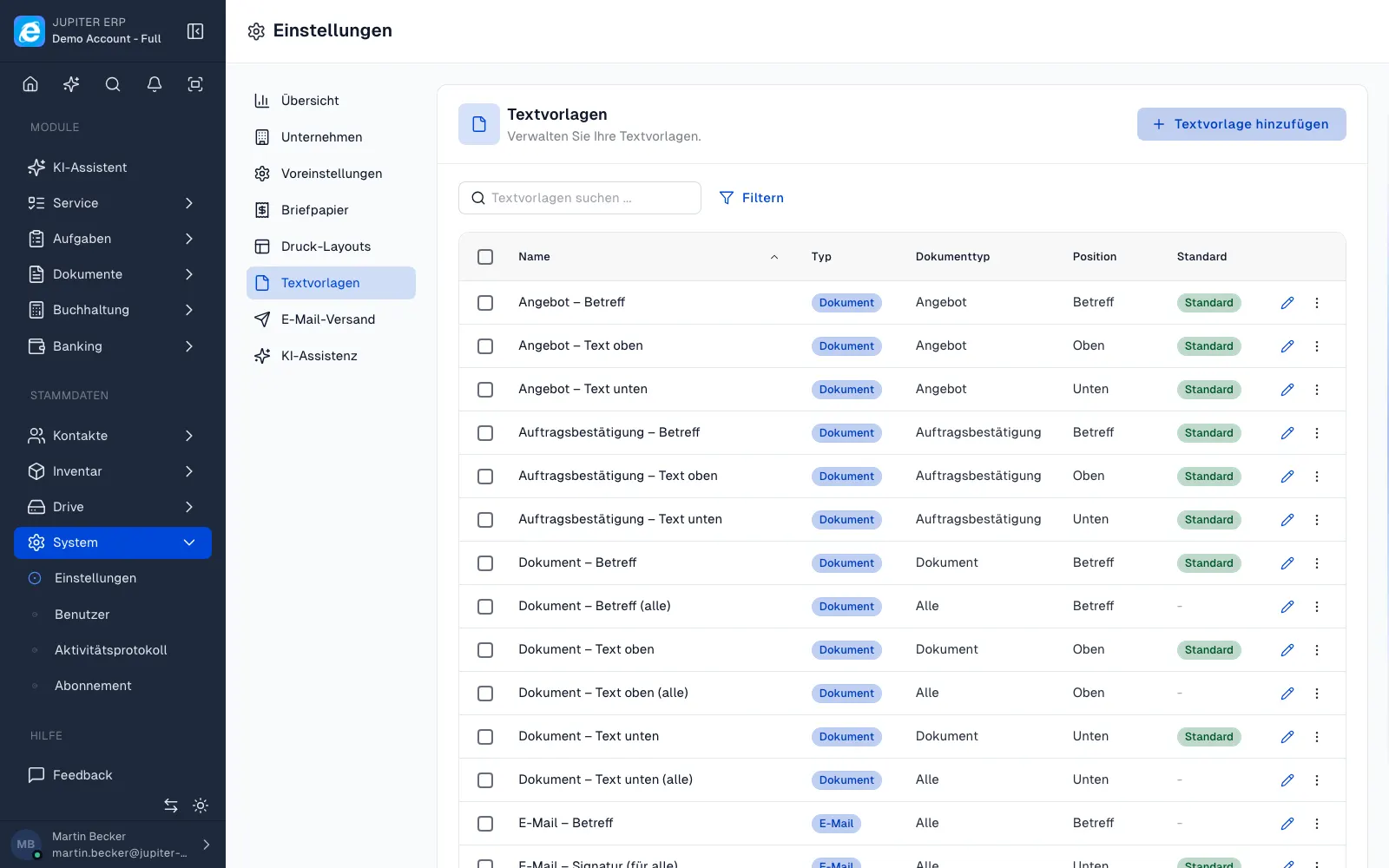

Textvorlagen im Jupiter ERP Panel

Consistency instead of copy-paste

Default templates per document type reduce typos and inconsistent wording. Use the same text for email sending and DATEV export to your tax advisor: one wording, multiple channels.

What you steer with templates

Templates keep subject, intro, closing text, and email copy in one place. Placeholders fill contact, document, and company when you insert or print.

  • Create templates by type: document, email, or general
  • Assign document type and position: subject, text above, text below
  • Mark a template as the default for that document type
  • Insert placeholders from the dialog, such as name, document number, amount, VAT ID, bank details, mandate data
  • See only the templates that match the document type inside the document
  • Use the same texts for document email and for the DATEV mail to the adviser

One wording, several channels

When a phrase changes, you change the template. New documents and emails pick it up, instead of every person keeping a private copy in the editor.

Historical PDFs stay as they were sent. The template applies to what you create afterwards.

How it works in the panel

The main building blocks at a glance, complemented by the longer description above.

Template management

Create templates by type (document, email, generic), document kind, and position (subject, top, bottom), optionally as default.

Placeholders

Mustache syntax such as {{contact.name}} or {{document.number}}: grouped by contact, address, document, and tenant; insert via dialog.

Insert in documents

Template menu directly in quotes, invoices, and other documents: matching templates filtered by document type.

Email & export

The same templates when sending documents and when emailing DATEV export to your tax advisor: consistent wording everywhere.

Common questions

Jupiter ERP

Your first invoice in minutes

Start for free: write invoices on the Free plan. Choose plan, term, and add-ons in the app afterwards. Custom adaptations or API integration? Get in touch.

  • 14-day trial
  • No credit card
  • Hosted in Germany
  • GDPR-compliant
Text templates · Jupiter ERP
