Jupiter ERP

DATEV export

Hand booking-ready data to your practice.

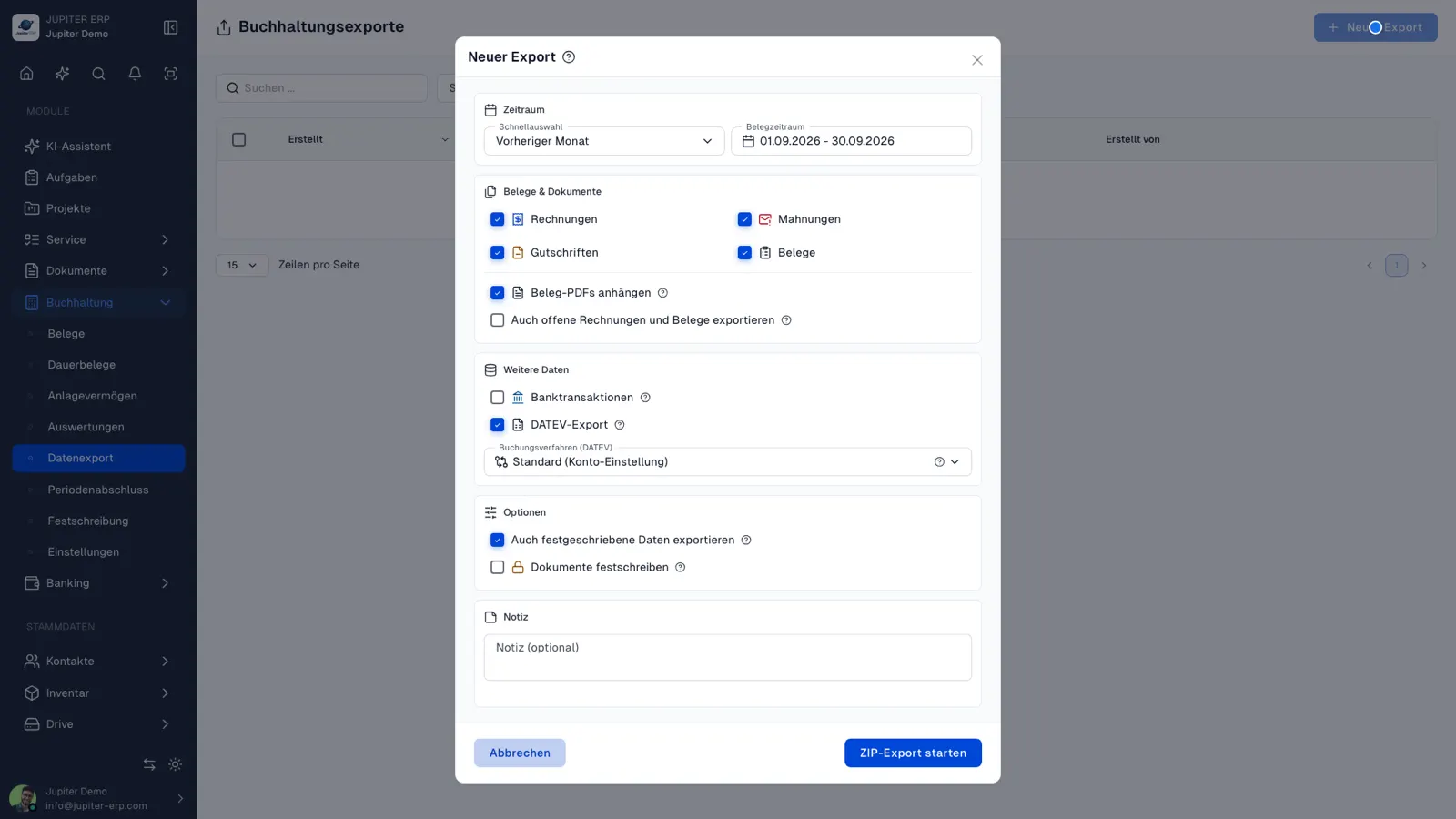
Structured exports with configurable postings — optionally include invoices, dunning, credit notes, and bank transactions. Download finished ZIP packages or email them directly to your tax advisor.

Note: From Business plan

  • Background exports
  • Email to tax advisor
  • Bank transactions optional
Buchhaltungs-Export im Jupiter Panel
Jupiter Panel

In depth

Background, typical workflows, and concrete panel capabilities — more detail than the summary above.

Booking-ready data for your accountant

The DATEV export bundles selected outgoing and incoming documents for a period — optionally with bank transactions as CSV — into a ZIP package. The job runs in the background; you download the result when it is ready.

Configurable booking entries and periods protect against unwanted backdating. Your team hands over structured data monthly instead of folders full of PDFs.

Send directly by email

Completed exports go to your tax advisor with ZIP attachment — recipient and mail text from settings or text templates. Subject and period are stored on the export; less manual effort at month-end.

How it works in the panel

The main building blocks at a glance — complemented by the longer description above.

Create export

Choose period and content, start job, download file.

Choose contents

Export documents and optionally bank transactions as CSV or DATEV package.

Send to tax advisor

Email a completed export — ZIP attached, subject with document period, and prepared body text from text templates.

Default recipient

Store your tax advisor’s email in accounting settings; it is pre-filled when you open the send dialog.

Common questions

Jupiter ERP

Ready for Jupiter ERP?

Start for free — choose plan, term, and add-ons in the app afterwards. Custom adaptations or API integration? Get in touch.

DATEV export · Jupiter ERP
