Jupiter ERP

Documents

Quotes

From quote to order in a few steps.

Quotes use the same master data as invoices. After acceptance, data flows into follow-on documents.

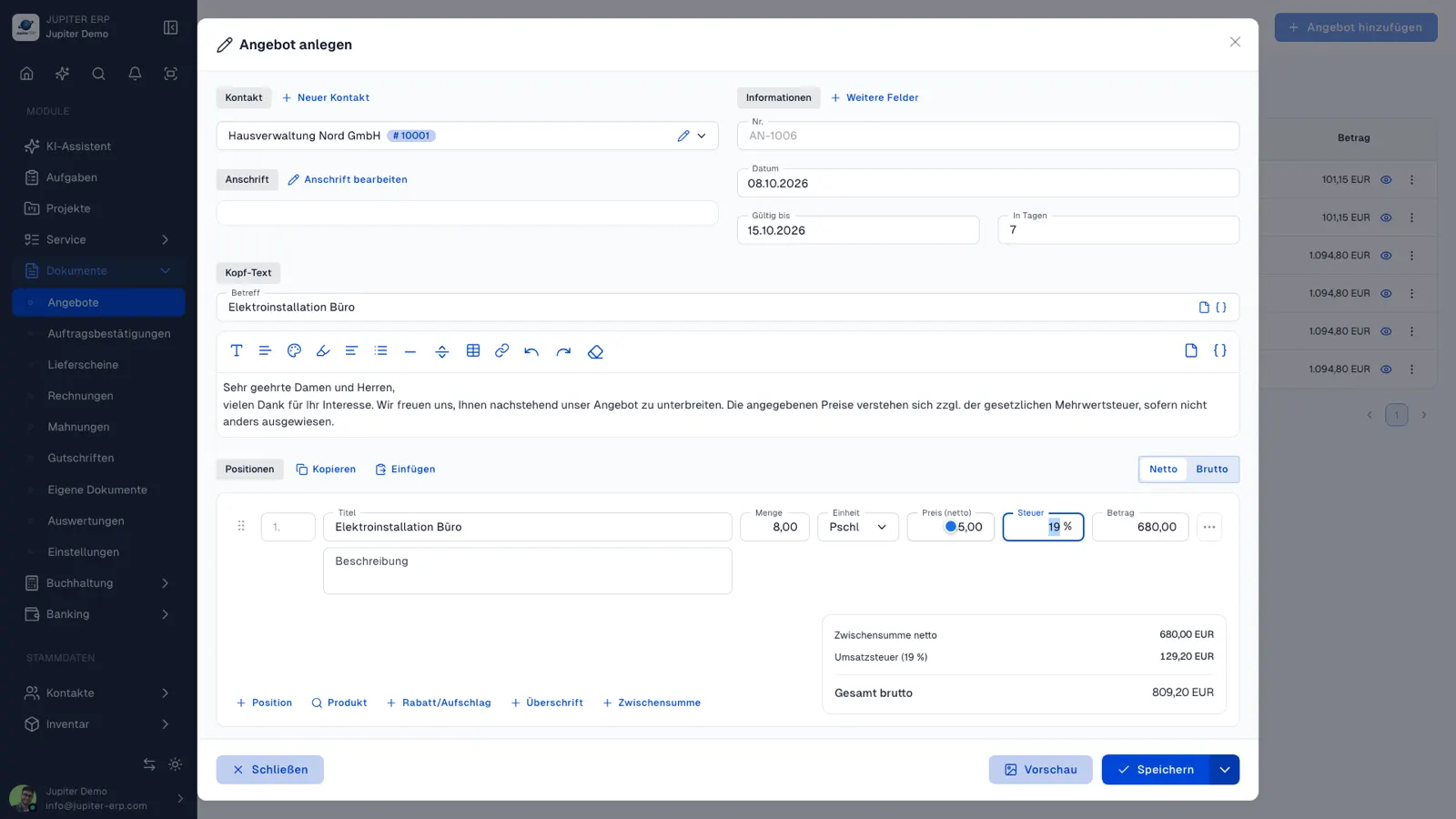
Angebot bearbeiten im Jupiter ERP Panel — Positionen und Textvorlagen

At a glance

These are the points this feature covers day to day.

  • Optional lines
  • Headings & subtotals
  • Process document
  • Text templates

In the product

The workflow in Jupiter ERP, on this page.

In depth

Background, typical workflows, and concrete panel capabilities, more detail than the summary above.

Quotes that become orders

Quotes use the same document form as invoices: product selection, discounts, headings and subtotals, optional lines for alternatives, and text templates with placeholders. Status (open, accepted, declined) keeps the sales pipeline transparent.

After acceptance, derive order confirmation, delivery note, or invoice, without retyping line items. That noticeably reduces errors between sales and back office.

Angebot bearbeiten im Jupiter ERP Panel — Positionen und Textvorlagen

Optional lines, clear communication

Optional rows appear on the quote PDF but do not count toward the net total: ideal for add-on services or variants. Customers see the full scope; your calculation stays focused on the core offer.

What you do with a quote

The quote uses the same form as the invoice. You calculate, send it, and continue after acceptance without retyping the lines.

  • Search products and take them over with a quantity, or use free text for custom work
  • Optional lines for alternatives and add-ons, visible on the PDF, excluded from the total
  • Headings, subtotals, line discounts, and a document-level discount
  • Filter the list by open, accepted, or declined
  • Intro, closing text, and subject from templates with placeholders
  • Send the PDF by email or letter, or send the online-signature link
  • After acceptance, derive an order confirmation, delivery note, or invoice
  • Copy and paste lines between quotes
Angebot bearbeiten im Jupiter ERP Panel — Positionen und Textvorlagen

Sales and back office on one document

Customer, prices, and texts stay in place when the quote becomes the next document. The gap between what was sold and what is billed gets smaller.

You can release accepted quotes in the customer portal so the customer can fetch the PDF again.

How it works in the panel

The main building blocks at a glance, complemented by the longer description above.

Quote list

Filters and status for open, accepted, and rejected quotes.

Optional lines

Mark lines as optional. They appear on the quote but are excluded from the net total (ideal for alternatives and upsells).

Lines & discounts

Products from the catalog, headings and subtotals, per-line or document-level discount, copy/paste lines between quotes.

Process document

Create order confirmation, delivery note, or invoice from the quote: contact, lines, and text carry over.

Text templates

Insert intro, footer, and subject via templates with placeholders for customer and document.

Jupiter ERP

Your first invoice in minutes

Start for free: write invoices on the Free plan. Choose plan, term, and add-ons in the app afterwards. Custom adaptations or API integration? Get in touch.

  • 14-day trial
  • No credit card
  • Hosted in Germany
  • GDPR-compliant
Create and send quotes · Jupiter ERP
