Jupiter ERP

Documents

Order confirmations

Binding orders documented clearly.

After the quote, the order confirmation: bridge to delivery note and invoice.

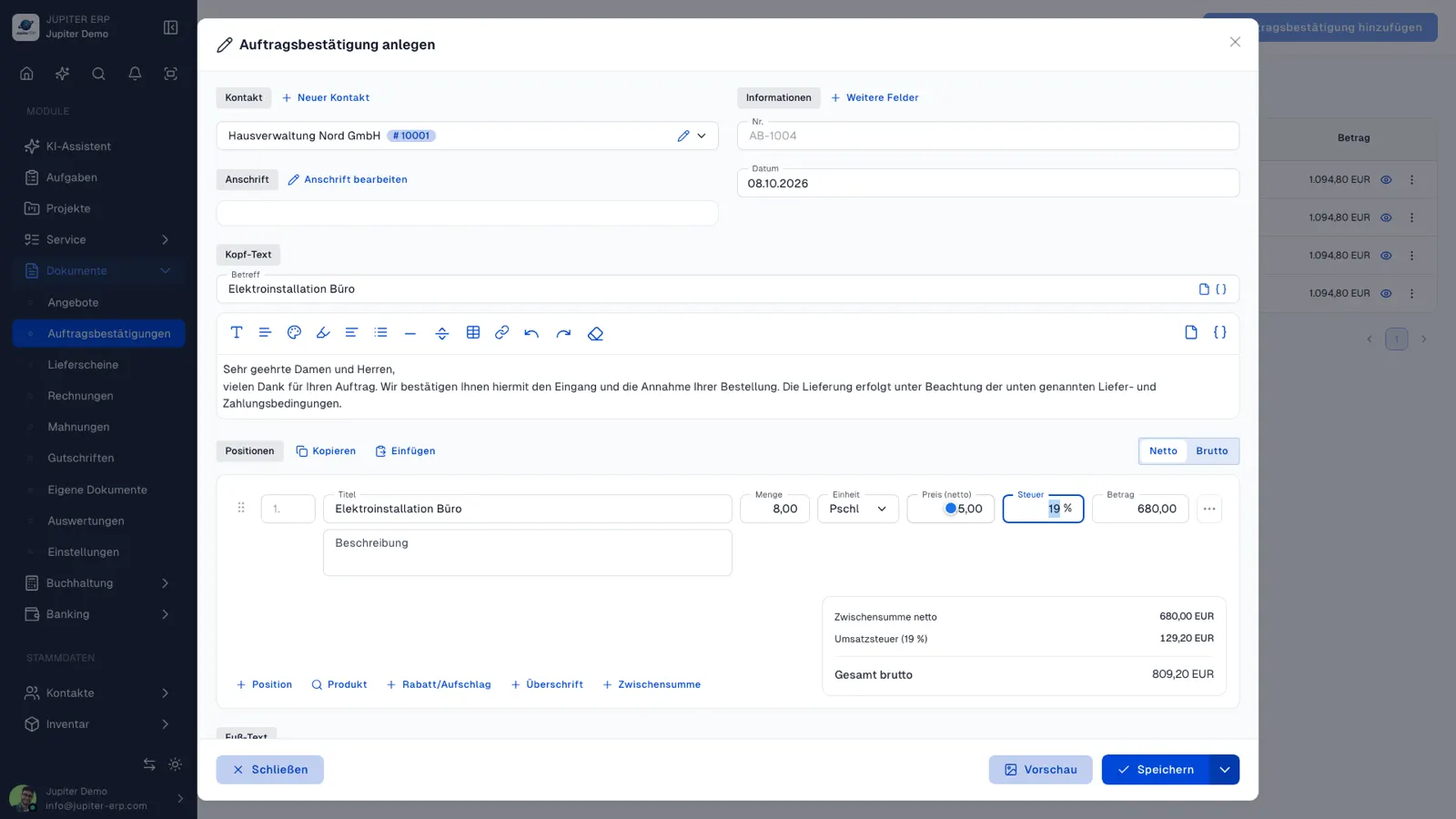
Auftragsbestätigung bearbeiten im Jupiter ERP Panel

At a glance

These are the points this feature covers day to day.

  • End-to-end document flow
  • Same layouts as invoice

In the product

The workflow in Jupiter ERP, on this page.

In depth

Background, typical workflows, and concrete panel capabilities, more detail than the summary above.

Binding orders documented

The order confirmation closes the gap between quote and delivery: customer and line items are fixed, layout and number range like all document types. Data taken from the quote saves double entry.

PDF and email sending use the same print and template settings as invoice and delivery note: consistent appearance without media breaks.

Auftragsbestätigung bearbeiten im Jupiter ERP Panel

Bridge to delivery note and invoice

From the order confirmation, delivery note and invoice follow via Process document. Materials and services from the order stay traceable through the chain: important for trade and project-based service providers.

What you do with an order confirmation

The order confirmation fixes what the customer ordered. It is the bridge between quote and delivery, with the same layout, number range, and sending options as the other documents.

  • Derive it from an accepted quote; contact and lines stay in place
  • Adjust quantities, prices, and texts without overwriting the quote
  • Create the PDF, send it by email or letter, optionally collect an online signature
  • Derive a delivery note or invoice as the next step
  • Find the document on the contact and, where set, on the project
  • Use the same print layouts and text templates as for invoices and delivery notes

Why the extra step is worth it

Without an order confirmation, teams often jump from quote to invoice and lose what was actually ordered. A document of its own keeps the acceptance in the archive, even when delivery and invoice arrive in parts later.

Trade and project-based service businesses use it as the internal and external reference before material goes out.

How it works in the panel

The main building blocks at a glance, complemented by the longer description above.

Create & send

PDF and email like other document types.

Jupiter ERP

Your first invoice in minutes

Start for free: write invoices on the Free plan. Choose plan, term, and add-ons in the app afterwards. Custom adaptations or API integration? Get in touch.

  • 14-day trial
  • No credit card
  • Hosted in Germany
  • GDPR-compliant
Order confirmations · Jupiter ERP
