Jupiter ERP

Buchhaltung

Period lock (GoBD)

Make records immutable: audit-proof under GoBD.

Lock completed records so they can no longer be edited, deleted, or reset. Do it deliberately from a dedicated locking page with period and type selection, or automatically during the accounting export. Every lock is recorded in the activity log and cannot be undone.

Note: From Business plan

GoBD-Festschreibung im Jupiter ERP Panel — Zeitraum und Belegarten wählen

At a glance

These are the points this feature covers day to day.

  • Immutable under GoBD
  • Manually or on export
  • Fully logged

In the product

The workflow in Jupiter ERP, on this page.

In depth

Background, typical workflows, and concrete panel capabilities, more detail than the summary above.

What locking means

Locked records can no longer be changed, deleted, or reset. That is the GoBD-compliant immutability inside the tenant, not a later cleanup in the list.

  • Choose period and record types on the locking page
  • Review the preview of affected records before you confirm
  • Lock invoices, dunning notices, credit notes, documents, and bank transactions
  • Optionally lock the same records directly during the accounting export
  • Read every run in the activity log
  • Correct what is still open beforehand, because the step cannot be undone
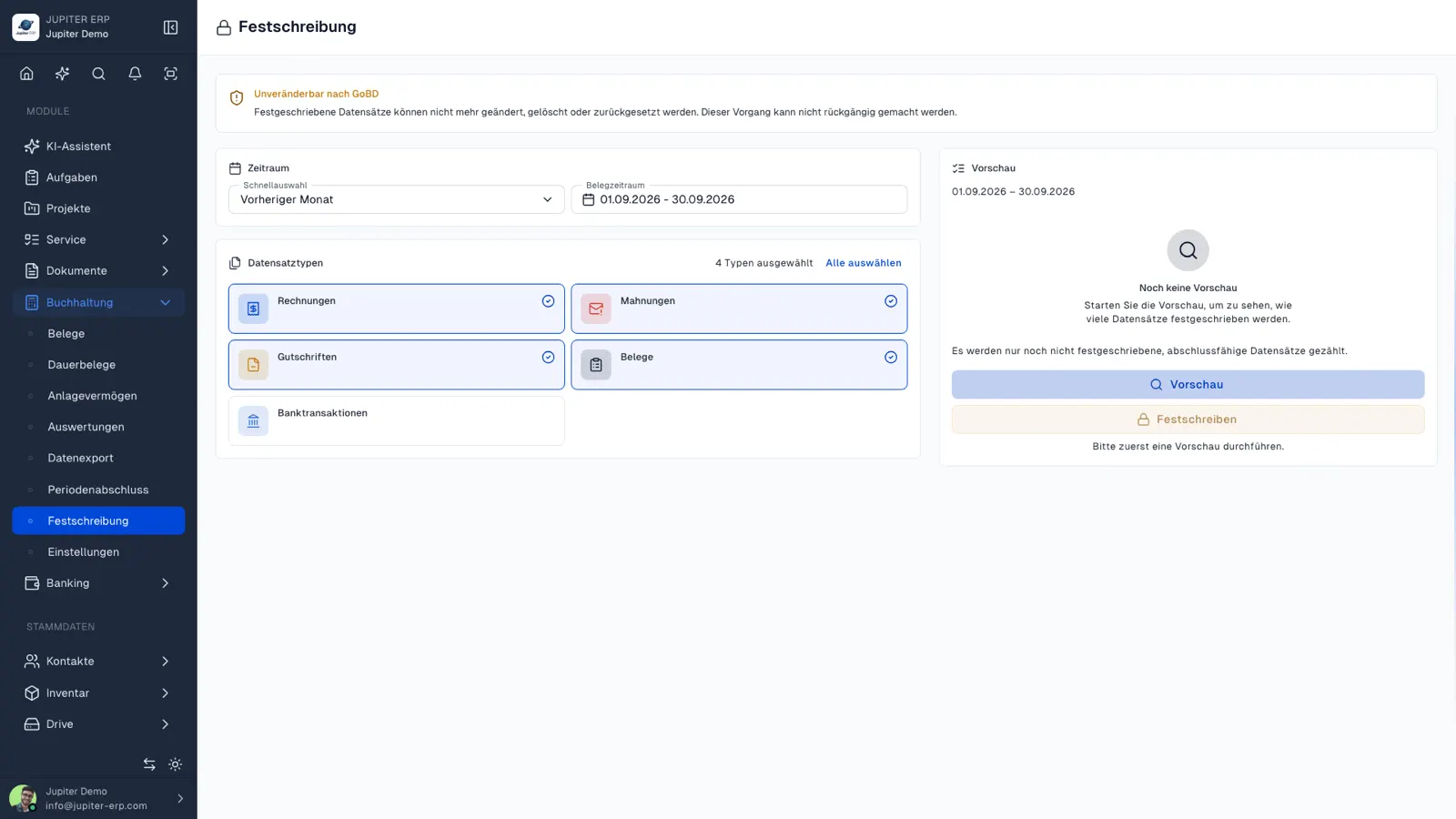
GoBD-Festschreibung im Jupiter ERP Panel — Zeitraum und Belegarten wählen

In the month-end close

A typical sequence is: review the period, create the export for the adviser, and lock during or after that export. The documents then stay as evidence.

The feature is included from Business. It does not replace advice on which period should be locked.

Check before you lock

Finish open corrections first: a credit note instead of a silent edit, match the payment, finalise document texts. The preview shows which records the period includes.

After that the set stays put. Later questions are answered by the activity log for send and lock, and by the file in the DATEV export.

How it works in the panel

The main building blocks at a glance, complemented by the longer description above.

Lock a period

Choose document period and record types, review the preview, and lock.

All record types

Invoices, dunning notices, credit notes, receipts, and bank transactions are supported.

Lock on export

Optionally, Jupiter ERP locks the exported records directly during the accounting export.

Audit-proof

Locked records are sealed; every action is traceable in the activity log.

Common questions

Jupiter ERP

Your first invoice in minutes

Start for free: write invoices on the Free plan. Choose plan, term, and add-ons in the app afterwards. Custom adaptations or API integration? Get in touch.

  • 14-day trial
  • No credit card
  • Hosted in Germany
  • GDPR-compliant
Period lock (GoBD) · Jupiter ERP

