Jupiter ERP

Buchhaltung

Period-close checklist

See what is still open in a period before you lock it.

Period close is a live checklist for a completed month, a quarter, or a fiscal year. Jupiter ERP saves nothing here and locks nothing. Period lock stays a separate step afterwards.

Note: Accounting module

GoBD-Festschreibung im Jupiter ERP Panel — Zeitraum und Belegarten wählen

At a glance

These are the points this feature covers day to day.

  • Month, quarter, or year
  • Open items only
  • Locking stays separate

In the product

The workflow in Jupiter ERP, on this page.

In depth

Background, typical workflows, and concrete panel capabilities, more detail than the summary above.

What the checklist shows

Under Accounting, Period close you see what is still open in a completed period. Jupiter ERP calculates the rows live. There is no saved status “reviewed”.

  • Choose a month, a quarter, or a year. The list starts with the last completed month
  • For a year, the fiscal year from the accounting settings applies, otherwise the calendar year
  • Service: unbilled time records and service contracts that are due
  • Documents: quotes, order confirmations, delivery notes, invoices, dunning notices, and credit notes with an open status or an open amount
  • Accounting: open receipts and bank transactions that are open or only partly assigned
  • Show opens the matching list with the filter for that check
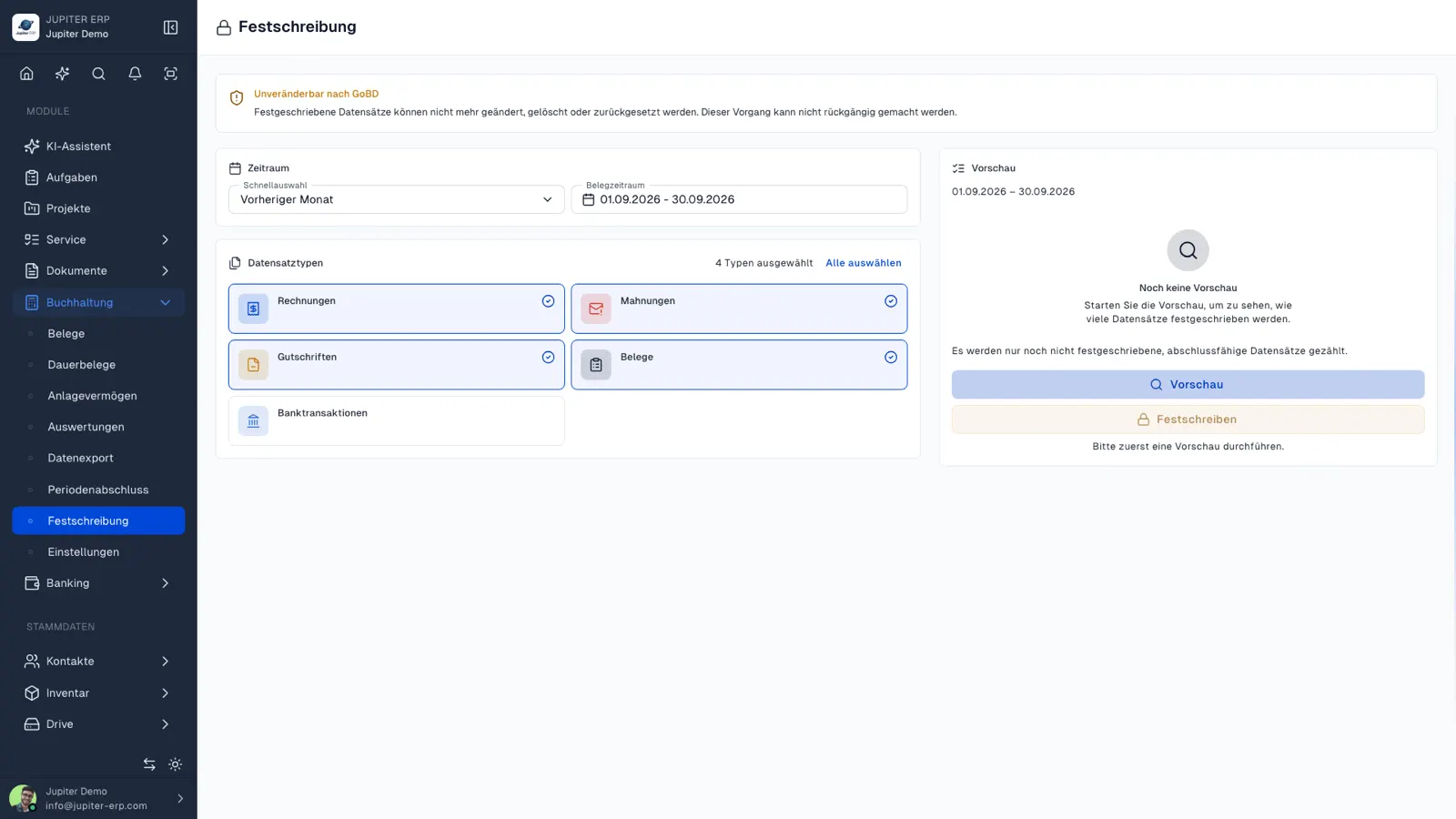
GoBD-Festschreibung im Jupiter ERP Panel — Zeitraum und Belegarten wählen

Before export and lock

A typical sequence is: walk the checklist, clear the open items, then create the DATEV export and lock the period. The checklist does not replace either of those steps.

Private transactions, transfers, and bank transactions that need no assignment do not count as open. A document type is left out when the module or the read permission is missing.

What period close does

You see what is still open in a completed period. Closing entries, VAT returns, and statutory financial statements stay with your adviser.

Included with the accounting module, from Business and during the trial.

How it works in the panel

The main building blocks at a glance, complemented by the longer description above.

Choose the period

Month, quarter, and year at the top of the list. Without month and quarter, the year applies. For a year, the fiscal year from the settings is used.

Service, documents, accounting

Open time records and due service contracts, open documents, open receipts, and bank transactions. A row appears only with the module and the read permission.

Open the matching list

Show opens the matching list with the filter for that check.

Not a closing ledger

No saved review mark, no closing entries, no VAT return, and no statutory financial statements.

Common questions

Jupiter ERP

Your first invoice in minutes

Start for free: write invoices on the Free plan. Choose plan, term, and add-ons in the app afterwards. Custom adaptations or API integration? Get in touch.

  • 14-day trial
  • No credit card
  • Hosted in Germany
  • GDPR-compliant
Period-close checklist · Jupiter ERP

