Jupiter ERP

Documents

Delivery notes

Document delivery, prepare the invoice.

Delivery notes complete the chain between order and invoice, especially in retail.

Rechnung bearbeiten im Jupiter ERP Panel — Positionen und Belegdetails

At a glance

These are the points this feature covers day to day.

  • Material & quantities from order
  • Audit-ready storage

In the product

The workflow in Jupiter ERP, on this page.

In depth

Background, typical workflows, and concrete panel capabilities, more detail than the summary above.

Prove delivery, prepare invoicing

Delivery notes document quantities and materials shipped, especially in trade and project-based delivery. They are created from a quote or order with line items carried over.

Audit-ready storage and contact linking make later claims and invoicing easier: the invoice references what was actually delivered.
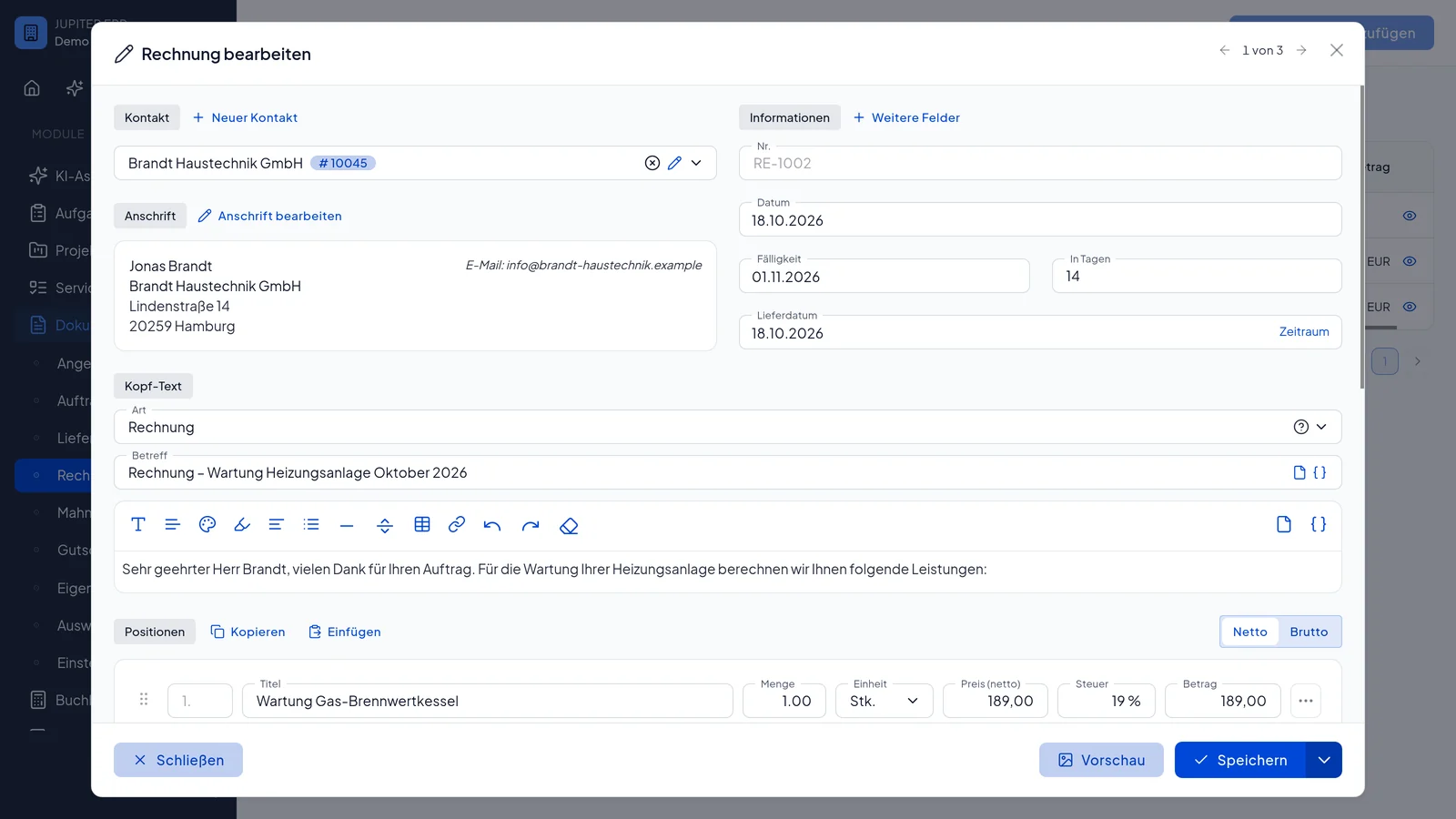

Rechnung bearbeiten im Jupiter ERP Panel — Positionen und Belegdetails

Part of the end-to-end document flow

The delivery note is not an island but a stage in the chain quote → order → delivery → invoice. Jupiter ERP keeps contact, project, and service context consistent across all stages.

What you do with a delivery note

The delivery note records what leaves the building. The invoice afterwards uses the same lines instead of reconstructing quantities from memory.

  • Create it from a quote or order confirmation with the lines carried over
  • Record quantities and material for the shipment and archive the PDF
  • Release it for acceptance via online signature; the customer signs in the browser
  • Attach the signed PDF to the invoice later, proof of work and invoice together
  • Derive the invoice from the delivery note
  • Keep the document on the contact for complaints and history
Rechnung bearbeiten im Jupiter ERP Panel — Positionen und Belegdetails

Its place in the document chain

Quote, order, delivery, and invoice stay on the same contact and, where you set it, on the same project or service reference. The delivery note is a step, not a separate shipping form.

For trade and project-based delivery it is the record of what actually left before the invoice is written.

How it works in the panel

The main building blocks at a glance, complemented by the longer description above.

Document chain

From quote through order to delivery note and invoice.

Jupiter ERP

Your first invoice in minutes

Start for free: write invoices on the Free plan. Choose plan, term, and add-ons in the app afterwards. Custom adaptations or API integration? Get in touch.

  • 14-day trial
  • No credit card
  • Hosted in Germany
  • GDPR-compliant
Delivery notes · Jupiter ERP
