Jupiter ERP

Inventory

Products & item master

Maintain once, use on all documents.

Product catalog with units, net prices, and tax codes. In documents, open product selection, search items, and add them with the desired quantity as a line, without retyping price and tax.

Produktstamm im Jupiter ERP Panel

At a glance

These are the points this feature covers day to day.

  • Product selection in documents
  • Taxes & units
  • Multiple items at once

In the product

The workflow in Jupiter ERP, on this page.

In depth

Background, typical workflows, and concrete panel capabilities, more detail than the summary above.

Maintain once, use everywhere

The product catalog feeds quotes, invoices, delivery notes, and service reports. SKU, name, description, net price, tax rate, and UN/CEFACT unit are maintained centrally: typos and outdated prices in documents drop.

In the document form, product selection opens a search dialog: find item, set quantity, add as line, including multiple products in one step.
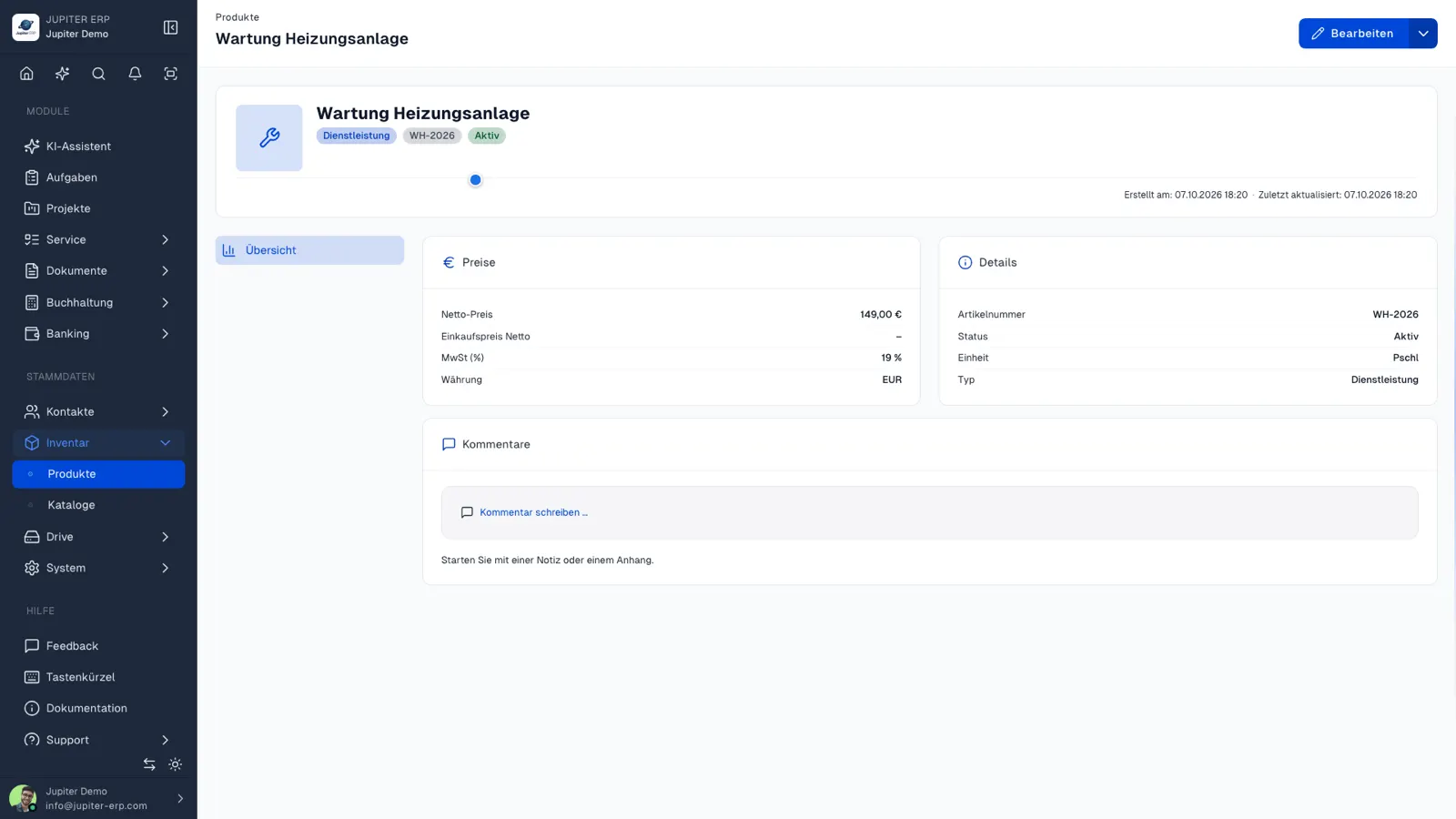

Produktstamm im Jupiter ERP Panel

Linked to inventory and service

The same items appear in stock levels and on reports: one master for sales, purchasing, and field use. Changes to an item affect new documents, not historical PDFs.

What you do with the product catalog

You maintain price, tax, and unit once. Documents and reports take them over instead of retyping them.

  • Create products with SKU, name, description, net price, and tax rate
  • Set a UN/CEFACT unit, such as piece, hour, or kilogram
  • Search in the document form, set the quantity, and add the line
  • Add several products in one step
  • Use the same products on service reports
  • Create new documents with the current price; historical PDFs stay unchanged

Sales and field work

Quote, invoice, delivery note, and report read the same catalog. A price change applies to the next document, not backwards to the archive.

Warehouse locations are the next step in inventory when stock per site is added. The product catalog is usable without that.

How it works in the panel

The main building blocks at a glance, complemented by the longer description above.

Item management

Maintain products with SKU, description, price, and tax rate centrally.

Product picker in documents

Search dialog in the document form: find items, set quantity, and add as a line, including multiple products in one step.

Units & taxes

UN/CEFACT units (piece, hour, kg, …) and tax rates on the item: transferred automatically to the line.

Service & inventory

The same items in service reports and stock: one master for sales and field work.

Jupiter ERP

Your first invoice in minutes

Start for free: write invoices on the Free plan. Choose plan, term, and add-ons in the app afterwards. Custom adaptations or API integration? Get in touch.

  • 14-day trial
  • No credit card
  • Hosted in Germany
  • GDPR-compliant
Products & item master · Jupiter ERP