Jupiter ERP

Service

Time tracking

Transparent effort: from capture to invoice.

Log time manually or start and stop a running timer. Entries can be linked to projects, contacts, and service context, with overview and reporting for teams and project leads.

Zeiterfassung im Jupiter ERP Panel

At a glance

These are the points this feature covers day to day.

  • Timer & manual entries
  • Project and contact links
  • Included in every plan

In the product

The workflow in Jupiter ERP, on this page.

In depth

Background, typical workflows, and concrete panel capabilities, more detail than the summary above.

Make effort visible

Time tracking complements projects, tasks, and service: logged hours stay in your tenant and remain traceable for reporting and billing.

Timer or manual entries: start and end times, description, and links to project or contact in one module.
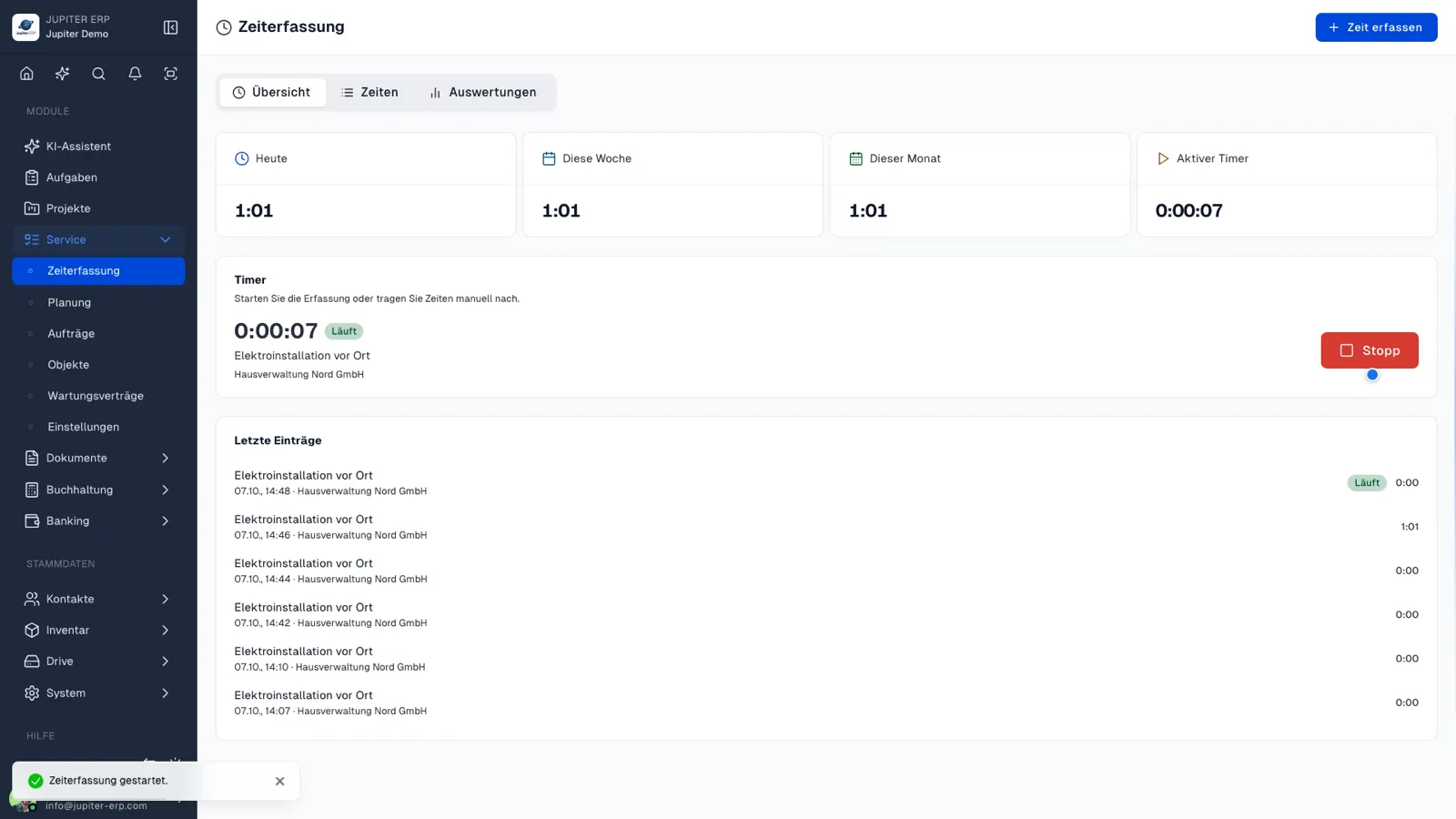

Zeiterfassung im Jupiter ERP Panel

From job to invoice

Tracked time feeds into project and service planning, without parallel Excel lists. Permissions control who can view and book time.

What you do with time entries

Time entries are records in the tenant, with a duration and a link. They are the basis for reporting and billing, not a separate clock-in app.

  • Create entries manually, with description, duration, project, or contact
  • Start and stop a timer; start and end are stored
  • Capture time in the companion app, including while the app is in the background
  • Filter lists by period, project, or employee
  • Keep time next to tasks and service jobs in the same tenant
  • Use permissions to decide who may see and post time

Included in every plan

Time tracking is included from trial, Free, Basic, Business, and Enterprise, without an add-on module.

Entries do not create an invoice by themselves. You use them when you bill services, and you report on them for the team and project leads.

How it works in the panel

The main building blocks at a glance, complemented by the longer description above.

Time entries

Create, edit, and delete time entries, with description, duration, and assignment to a project or contact.

Running timer

Start and stop active time: the current entry stays visible until you finish it.

Overview & reporting

Review time in lists and summaries: filter by period, project, or team member.

Linked to service & documents

Use tracked time as a basis for billing: in the context of projects, tasks, and service jobs.

Common questions

Jupiter ERP

Your first invoice in minutes

Start for free: write invoices on the Free plan. Choose plan, term, and add-ons in the app afterwards. Custom adaptations or API integration? Get in touch.

  • 14-day trial
  • No credit card
  • Hosted in Germany
  • GDPR-compliant
Time tracking · Jupiter ERP
