Jupiter ERP

Buchhaltung

VAT return (preview)

The amount lines of the VAT return from your documents.

The VAT return calculates a preview live from the same documents as the cash-basis and accrual profit reports. The form shows every amount line. Fields Jupiter ERP does not derive from documents stay at 0.

Note: Accounting module

Buchhaltungsberichte (EÜR) im Jupiter ERP Panel

At a glance

These are the points this feature covers day to day.

  • Month, quarter, or year
  • Form with field numbers
  • Period by date of supply

In the product

The workflow in Jupiter ERP, on this page.

In depth

Background, typical workflows, and concrete panel capabilities, more detail than the summary above.

What the preview calculates from documents

Under Accounting, VAT return you see a live preview for a month, a quarter, or a calendar year. The figures come from the same documents as the cash-basis and accrual profit reports, with accrual or cash taxation from the accounting settings. Each amount counts in the period the VAT law assigns it to, so on the accrual basis by the date of supply.

The payment or the refund is at the top. Below it are the amount lines with the field number, the tax base, and the tax. Bases have no cents and tax amounts keep their cents, as on the form. Documents opens the records behind a line, in cents. The balance itself has no document list of its own.

  • Taxable supplies at 19% and 7%, other rates, exempt supplies, exports, and intra-Community supplies
  • Input VAT on purchase invoices, import VAT, and intra-Community acquisitions
  • Reverse charge under § 13b UStG as supplier and as recipient, where the documents use that tax rule
  • Prepayments, cash discounts, and bad debts in the right period
  • Filing period monthly, quarterly, or yearly, default from the settings, overridable on the page
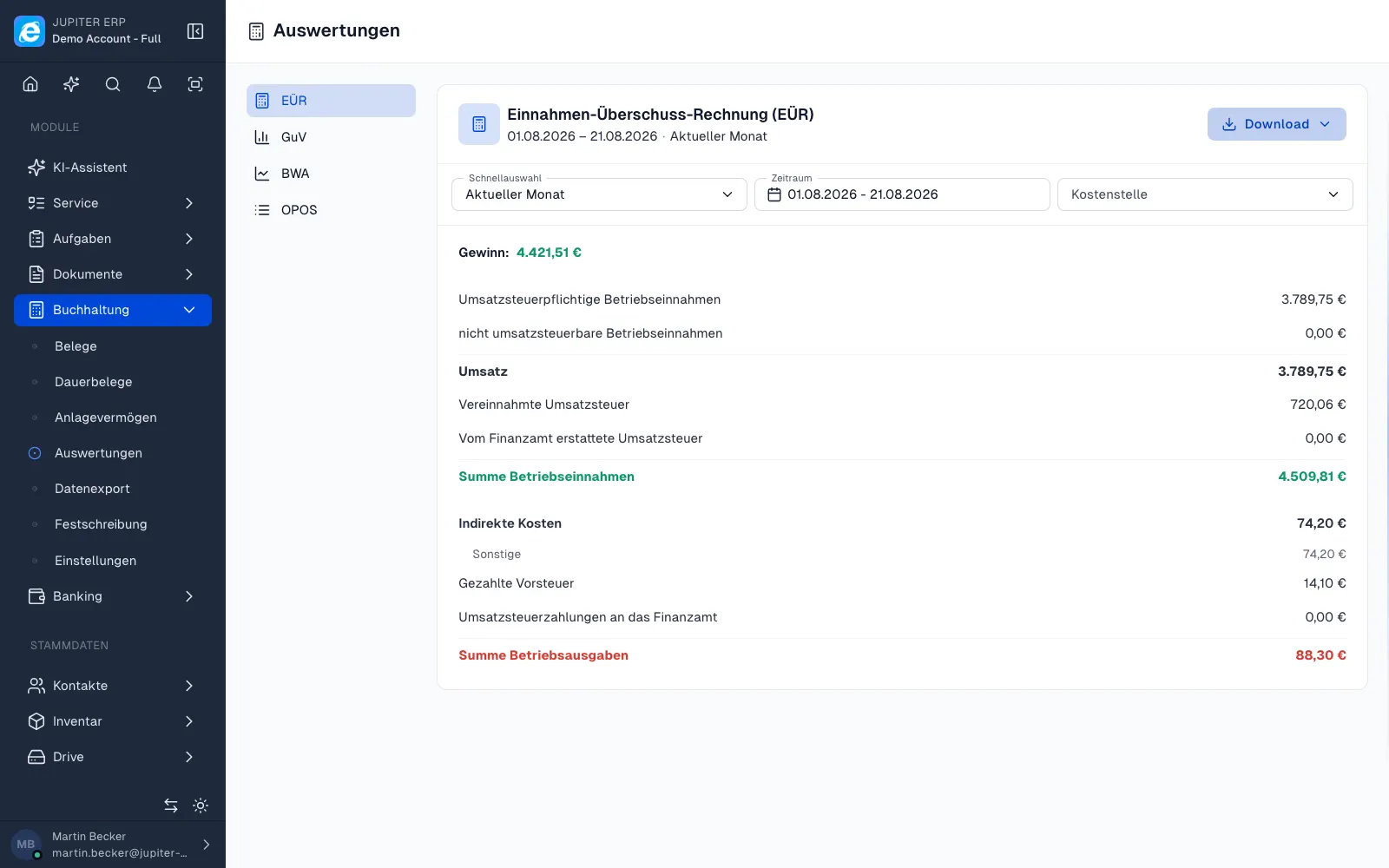
Buchhaltungsberichte (EÜR) im Jupiter ERP Panel

The full form

The page shows the amount lines of the 2026 VAT advance return, not only the lines that have an amount. Fields Jupiter ERP does not derive from documents stay at 0. That includes the special advance payment for a permanent filing extension and input VAT adjustments under § 15a.

Show empty lines reveals those zeros. Hide empty lines leaves them out, so the filled fields stay in front.

Euros and cents as on the form

Bases drop their cents, tax amounts and the balance keep them. The page calculates the tax on fields 81 and 86 from the full-euro amount, as the form does. The documents stay in cents, as in the profit reports. The page is a working basis for you and your advisor.

Included from Business and during the trial, together with the accounting module. Basic and Free do not include the VAT return. The tax assessment stays with you.

How it works in the panel

The main building blocks at a glance, complemented by the longer description above.

Filing period

Monthly, quarterly, or yearly. The default comes from the accounting settings and can be overridden on this page.

Form fields

Tax base and tax, laid out like the official form. Show empty lines when you want the full return.

Documents

Each filled line can be traced back to the documents. The documents stay in cents.

Euros and cents as on the form

Bases have no cents, tax and the balance keep their cents. The assessment stays with you and your advisor.

Common questions

Jupiter ERP

Your first invoice in minutes

Start for free: write invoices on the Free plan. Choose plan, term, and add-ons in the app afterwards. Custom adaptations or API integration? Get in touch.

  • 14-day trial
  • No credit card
  • Hosted in Germany
  • GDPR-compliant
VAT return (preview) · Jupiter ERP

