Jupiter ERP

Contacts

Contacts & master data

One address book for documents, service, and banking.

Companies and people are the shared master data for quotes, invoices, service, and payment matching. Addresses, communication channels, IBAN, and SEPA mandate details live on the contact, including history and CSV import from existing lists.

Kontaktverwaltung im Jupiter ERP Panel

At a glance

These are the points this feature covers day to day.

  • Companies & people
  • CSV import
  • History on the contact
  • SEPA mandate fields

In the product

The workflow in Jupiter ERP, on this page.

In depth

Background, typical workflows, and concrete panel capabilities, more detail than the summary above.

One address book for every module

Companies and people live in a central contact master, with addresses, communication channels, IBAN, and SEPA mandate details. Documents, service orders, and payments reference the same record instead of parallel lists in Excel or email.

Take over existing address data via CSV import with column mapping and preview. On the contact you see history and analytics: which documents, jobs, and revenue belong to that relationship.
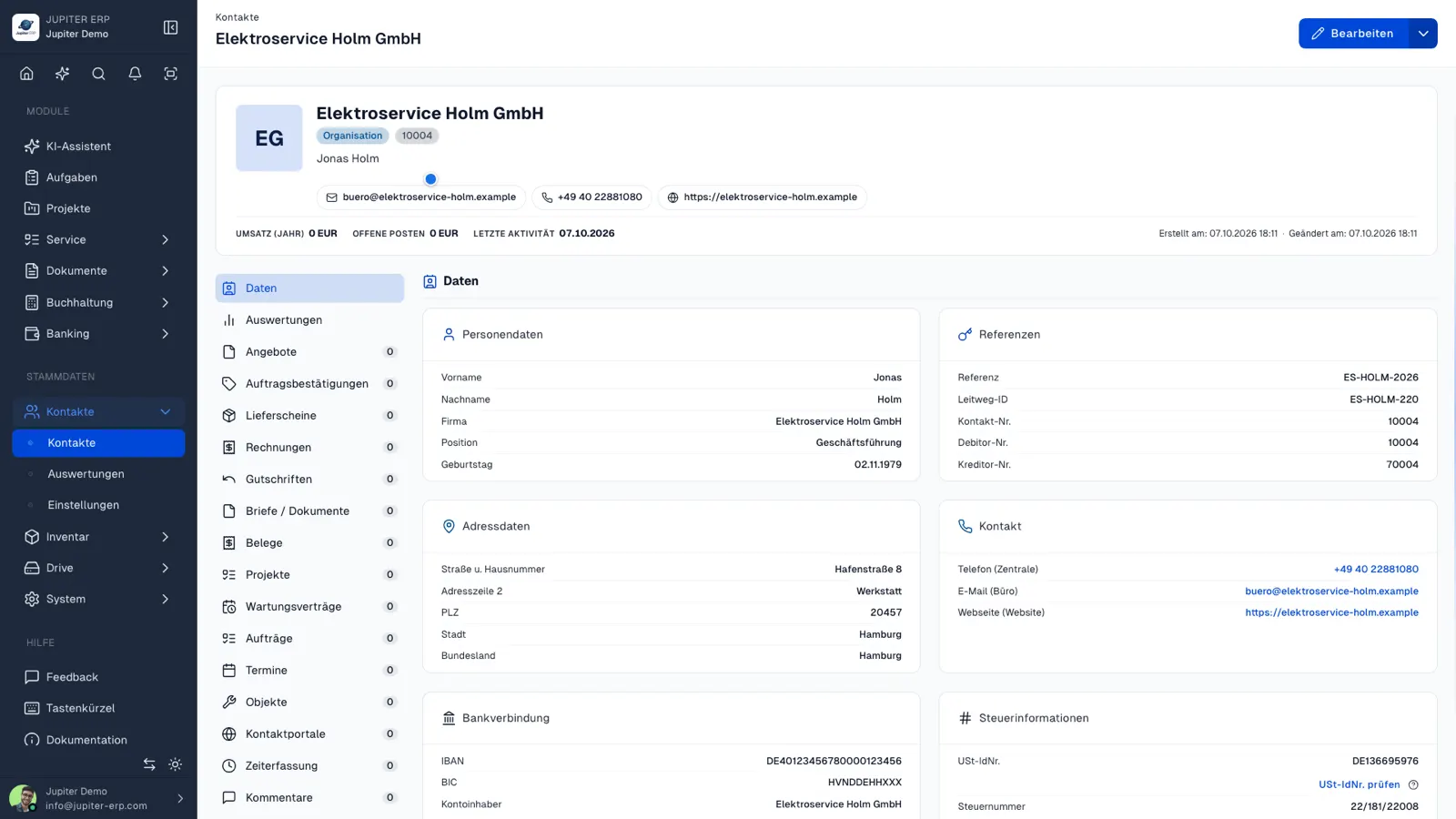

Kontaktverwaltung im Jupiter ERP Panel

Groups, fields, and portal

Contact groups and extra fields extend the master without custom code. The customer portal hangs off the contact: one login, areas you enable, without a second address book for self-service.

What you maintain and look up on a contact

The contact is the shared address for documents, service, and payments. What you enter once, the other modules reference.

  • Create a company or person with addresses, email, phone, and website
  • Store IBAN, account holder, mandate reference, and mandate date for the direct-debit export
  • Check the VAT ID and keep the VIES result on the contact
  • Import existing lists from CSV, map columns, check the preview
  • Open documents, jobs, and activity in the history
  • Report revenue, open items, and activity per contact
  • Set up portal access on this exact contact
  • Use roles to decide who may read and edit

One master, several modules

Quote, invoice, service order, and payment reconciliation point at the same record. There is no second customer list in a spreadsheet beside it.

Larger moves from legacy systems are described on the data-migration page. Day-to-day import in the panel is the CSV path.

How it works in the panel

The main building blocks at a glance, complemented by the longer description above.

Contact master

Addresses, email, phone, websites, IBAN, and mandate reference, plus links to documents, orders, and service.

CSV import

Take over existing lists from CSV or Excel: map columns, preview, and create contacts, without retyping.

History

Documents, service jobs, and activity per contact: sales and support without switching systems.

Analytics

Revenue, open items, and activity per contact: spot top customers and dormant relationships.

Common questions

Jupiter ERP

Your first invoice in minutes

Start for free: write invoices on the Free plan. Choose plan, term, and add-ons in the app afterwards. Custom adaptations or API integration? Get in touch.

  • 14-day trial
  • No credit card
  • Hosted in Germany
  • GDPR-compliant
Contacts & master data · Jupiter ERP
