Jupiter ERP

Contacts

Check VAT IDs on contacts

VIES check on the contact, with date and result.

Check the VAT ID stored on a contact against the European Commission’s VIES. The result stays visible on the contact: valid, invalid, or unavailable. If the number changes, you see that the current number has not been checked yet.

Note: Basic, Business, and Enterprise

Kontaktverwaltung im Jupiter ERP Panel

At a glance

These are the points this feature covers day to day.

  • VIES lookup on the contact
  • Last check with date and result
  • Notice when the number changed after the check

In the product

The workflow in Jupiter ERP, on this page.

In depth

Background, typical workflows, and concrete panel capabilities, more detail than the summary above.

Check the number where it lives

The VAT ID belongs on the contact, not in a separate list. From the contact detail you start a VIES lookup of the stored number. The result (valid, invalid, or register unavailable) stays visible on the contact.

Every check is stored; the contact shows the latest one. If you change the number afterwards, the team sees that the current number has not been checked yet.
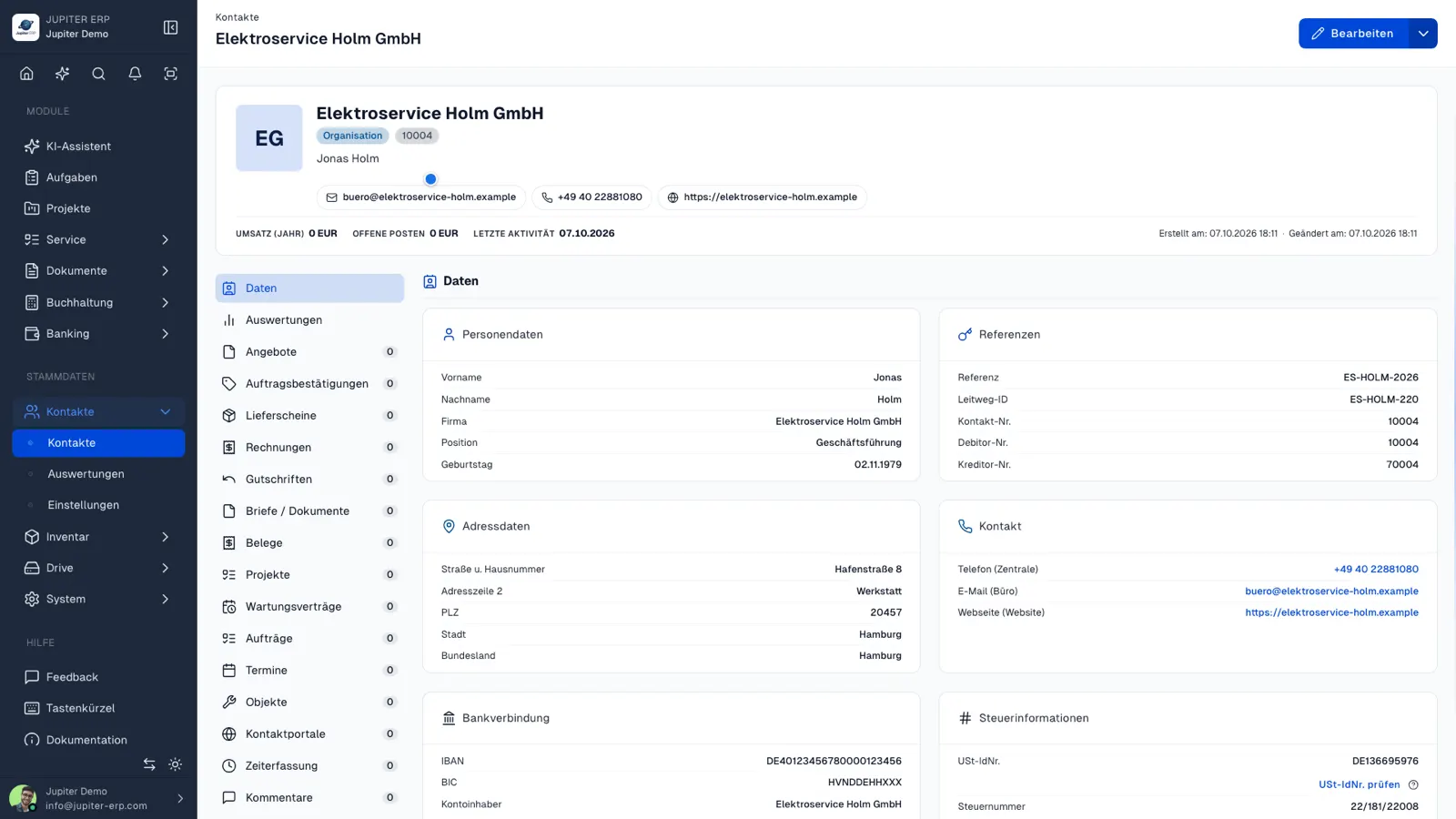

Kontaktverwaltung im Jupiter ERP Panel

Simple VIES check, clearly limited

Validity comes from VIES at the European Commission. That is a simple confirmation, not a qualified request to the German Federal Central Tax Office (BZSt). Name and address appear only when the member state returns them. Germany often answers with valid or invalid only.

What the check on the contact does

You check the number stored on the contact and keep the result there. A separate check list is not required.

  • Start the check from the contact detail view
  • See valid, invalid, or register unavailable
  • Keep the latest check with its time on the contact
  • Read in the activity log who triggered it
  • After a number change, see that the new number has not been checked yet
  • Use the same number later on invoices and e-invoices

Where the answer comes from

The answer comes from the European Commission's VIES. Name and address appear only when the member state returns them.

The feature is included in Basic, Business, and Enterprise. The public tool on the website stores nothing on the contact.

How it works in the panel

The main building blocks at a glance, complemented by the longer description above.

Check from the contact detail

A text button starts the lookup of the stored number. Format and country must be in VIES. GB and CH numbers are outside VIES.

Last check on record

Every check is stored. The contact shows the latest result and time. Who triggered it is in the activity log.

Clear limits

This is a simple VIES confirmation, not a qualified request to the German Federal Central Tax Office (BZSt), and not tax advice.

Common questions

Jupiter ERP

Your first invoice in minutes

Start for free: write invoices on the Free plan. Choose plan, term, and add-ons in the app afterwards. Custom adaptations or API integration? Get in touch.

  • 14-day trial
  • No credit card
  • Hosted in Germany
  • GDPR-compliant
Check VAT IDs on contacts · Jupiter ERP
