Jupiter ERP

Buchhaltung

Receive receipts by email

Send PDFs and e-invoices to your Jupiter ERP address: drafts appear on their own.

Each organization gets its own inbound address. Suppliers or your scan app send receipts there; matching attachments (PDF, images, ZUGFeRD) become receipt drafts. Included in Enterprise, with no setup. The address is already provisioned.

Note: Included from Enterprise

Kostenbeleg bearbeiten im Jupiter ERP Panel

At a glance

These are the points this feature covers day to day.

  • Own inbound address
  • Automatic drafts
  • Included from Enterprise

In the product

The workflow in Jupiter ERP, on this page.

In depth

Background, typical workflows, and concrete panel capabilities, more detail than the summary above.

One address per organization

Jupiter ERP creates an inbound address automatically. Suppliers or your scan app send PDFs, photos, or ZUGFeRD files there: matching attachments become receipt drafts.

Copy the address from account settings under Email. Optionally limit senders; you can rotate the address at any time.
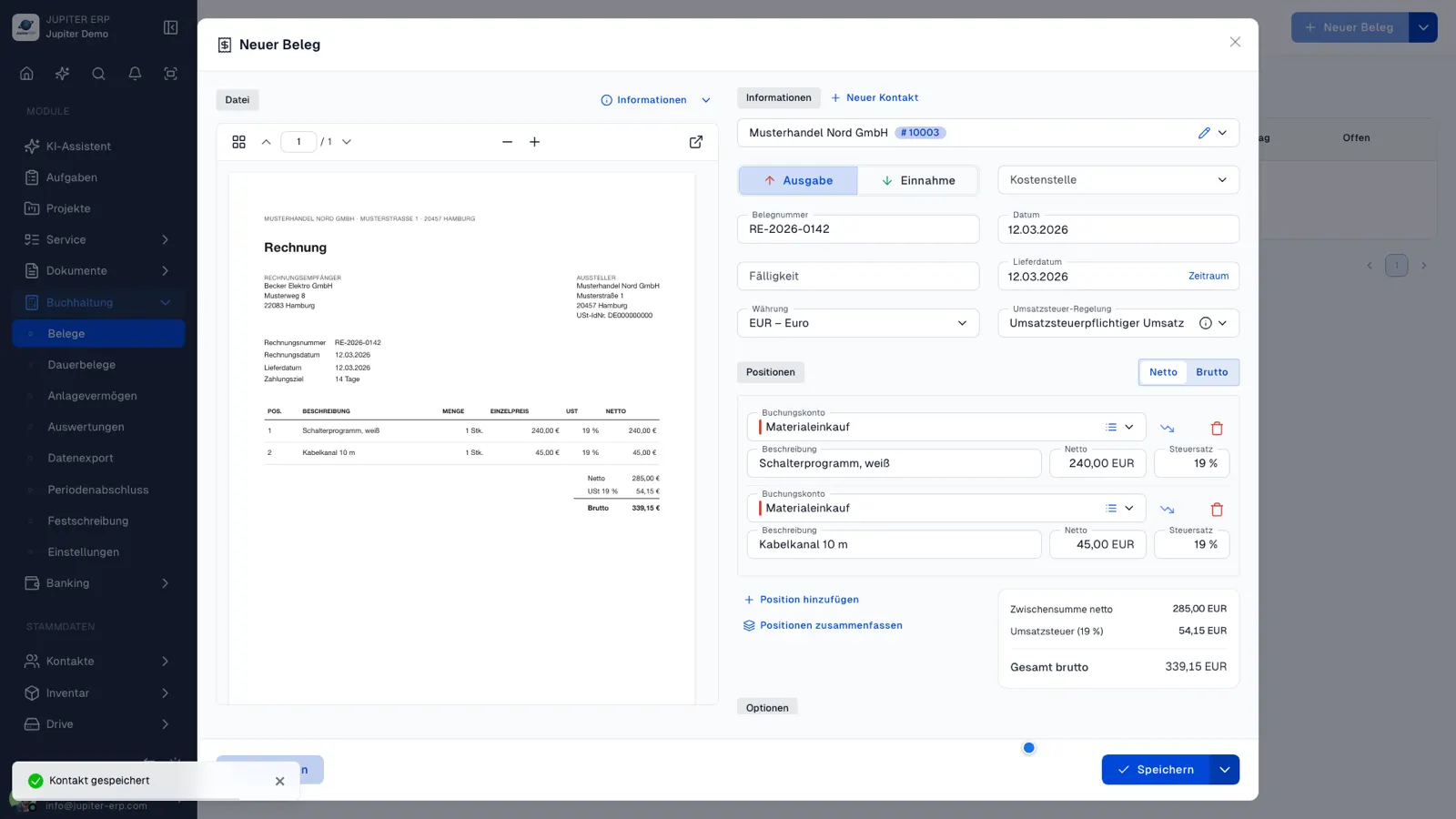

Kostenbeleg bearbeiten im Jupiter ERP Panel

Included from Enterprise, no extra setup

Receive receipts by email is included from Enterprise, not during the trial. After an upgrade the same address works immediately; it stays after a downgrade, but inbound mail is then rejected.

What happens to incoming mail

Suppliers or a scan app send files to the organisation's inbox address. Matching attachments become document drafts.

  • Copy the address in account settings under Email
  • Accept PDF, images, and ZUGFeRD or XRechnung XML
  • Review, complete, and release drafts like other cost documents
  • Optionally allow only certain senders or domains
  • Renew the address when it was shared and should no longer work
  • Leave mail without a matching attachment without a new document

From Enterprise, the address is already there

The address is created per account. You do not have to request it. Receiving is included from Enterprise, not during the trial.

After a downgrade the address remains, but incoming mail is no longer accepted.

How it works in the panel

The main building blocks at a glance, complemented by the longer description above.

Copy the address

Copy the inbound address from email settings and share it with suppliers or your scan app.

Attachments become receipts

PDFs, images, and structured e-invoices (ZUGFeRD/XRechnung) are created as receipt drafts.

Limit senders

Optionally allow only certain senders or domains. You can rotate the address at any time.

Common questions

Jupiter ERP

Your first invoice in minutes

Start for free: write invoices on the Free plan. Choose plan, term, and add-ons in the app afterwards. Custom adaptations or API integration? Get in touch.

  • 14-day trial
  • No credit card
  • Hosted in Germany
  • GDPR-compliant
Receive receipts by email · Jupiter ERP