Jupiter ERP

Documents

Analytics & dashboards

KPIs from your real documents, without a separate BI tool.

Analytics read straight from documents, contacts, bank transactions, and service orders: revenue by month, quarter, and year, open and overdue invoices, cash flow, and activity per contact, without export to a separate reporting tool.

Auswertungen und Dashboards im Jupiter ERP Panel

At a glance

These are the points this feature covers day to day.

  • Revenue & open items
  • Banking cash flow
  • Per contact & service

In the product

The workflow in Jupiter ERP, on this page.

In depth

Background, typical workflows, and concrete panel capabilities, more detail than the summary above.

Metrics from real documents

Dashboards read directly from documents, contacts, bank transactions, and service: revenue by month, quarter, and year, open and overdue invoices, order values, cash flow, and activity per contact.

No export to Excel or separate BI tool for standard questions: the data foundation is the same as in the operational panel.
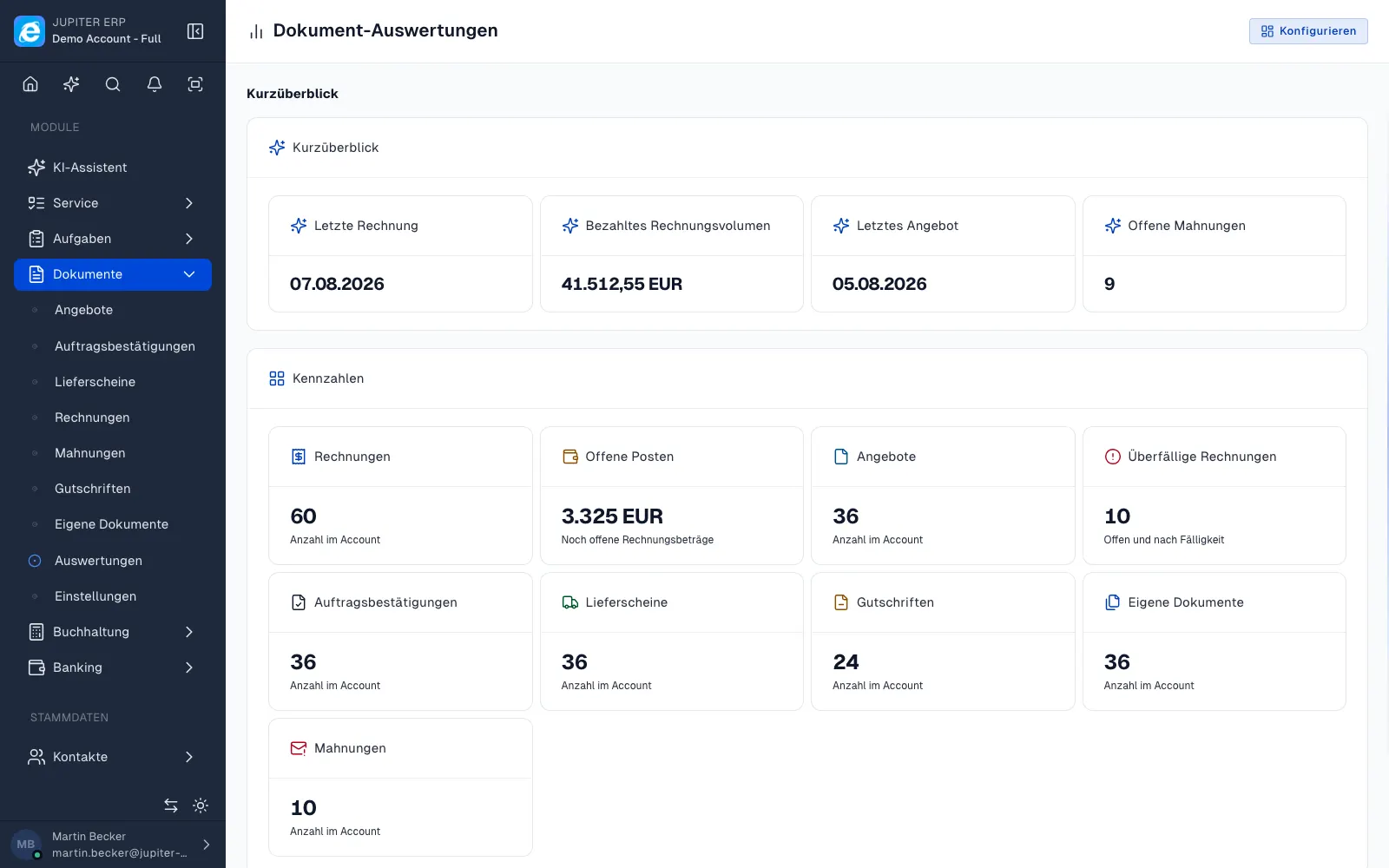

Auswertungen und Dashboards im Jupiter ERP Panel

Decisions in day-to-day business

Management sees liquidity and receivables; sales recognizes top customers and dormant relationships; service evaluates job volume, without manual reports at month-end.

Which questions the reports answer

The figures come from documents, contacts, bank transactions, and service orders. These standard questions do not need an export into a second BI tool.

  • Revenue by month, quarter, and year
  • Open and overdue invoices, order values
  • Cash flow and match status across several bank accounts
  • Revenue and activity per contact
  • Reports on service orders, projects, and contracts
  • The same data as in the operational panel, without a manual month-end list

Who uses them

Management sees receivables and liquidity from reconciliation. Sales sees active and quiet customers. Service sees job volume.

Accounting profit with cash-basis statement, P&L, BWA, sums and balances, and open items lives in the accounting reports, not on this dashboard.

How it works in the panel

The main building blocks at a glance, complemented by the longer description above.

Document analytics

Revenue by period, document status, open and overdue invoices, and order values.

Banking analytics

Cash flow and matching status across multiple accounts.

Contact & service

Revenue and activity per contact; analytics on service orders, projects, and contracts.

Common questions

Jupiter ERP

Your first invoice in minutes

Start for free: write invoices on the Free plan. Choose plan, term, and add-ons in the app afterwards. Custom adaptations or API integration? Get in touch.

  • 14-day trial
  • No credit card
  • Hosted in Germany
  • GDPR-compliant
Analytics & dashboards · Jupiter ERP
